5.0" IPS – 800×480 (WVGA)
Balanced cost/performance IPS for kiosks, medical carts, and handheld terminals.
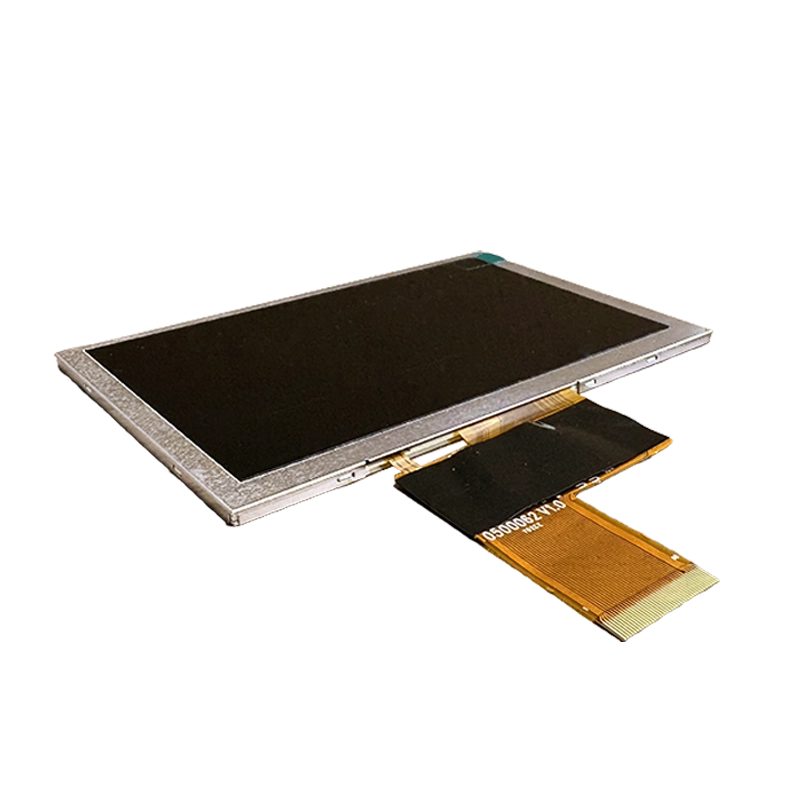
This 5.0" IPS 800×480 panel is a balanced option for compact embedded products that need a readable touch interface without the cost, power, or enclosure size of a larger display. The WVGA resolution is mature, widely supported, and practical for button-based HMIs, handheld terminals, small kiosks, medical carts, access control units, and industrial instruments.
The main value of this format is integration efficiency. A 5-inch display gives enough area for clear touch targets and status information, while remaining small enough for handheld or panel-mounted devices. It also keeps display bandwidth and UI rendering load reasonable, which can be helpful for MCU-based systems, entry-level Linux platforms, and cost-sensitive products.
Engineering Fit
This panel class is useful when the product needs a compact interface with good viewing angle stability. Compared with TN modules, IPS improves off-axis readability, which matters when a device is mounted at an angle or operated by users of different heights. The 800×480 resolution is not meant for dense data visualization, but it is appropriate for menus, settings, warning messages, status pages, and simple charts.
The RGB / MIPI-DSI interface option gives flexibility depending on the processor platform. RGB can be simple and predictable on many embedded boards, though it uses more pins and needs careful routing. MIPI DSI reduces pin count and is common on compact platforms, but it can depend on panel-specific initialization and shorter routing. The interface should be chosen before PCB and enclosure design are frozen.
Touch and Front Cover
PCAP with glove and wet tuning is a common match for this display size. Because the screen is often used in handheld or frequently touched products, the cover glass and surface treatment should be selected carefully. Strengthened cover glass improves durability. Anti-smudge coating can improve the user experience. Optical bonding can improve readability and front-stack rigidity, especially if the product is used in bright environments.
Glove and wet performance should not be accepted as a generic claim. Test with the exact gloves, cleaning fluids, water exposure, and enclosure grounding expected in the product. Touch tuning that works on a supplier demo board may change once the display is mounted behind a cover lens and connected to the final power system.
Brightness and Power
The standard 800-nit brightness level is useful for bright indoor and semi-outdoor products. A 1000-nit option can help in tougher lighting, but power and heat must be reviewed. Small enclosures can trap heat quickly, and handheld products may have battery constraints. Dimming strategy, backlight current, and thermal path should be part of the approval process.
Approval Checklist
- Confirm whether RGB or MIPI DSI best matches the processor and cable path.
- Test the actual UI for readability and touch target size.
- Validate glove, wet, and cleaning behavior if PCAP touch is used.
- Review cover lens thickness, surface coating, and optical bonding options.
- Measure heat at full brightness in the final enclosure.
- Document timing, initialization, backlight settings, and touch tuning.
Best-Fit Applications
This panel is strongest in compact products that need a practical, readable, and cost-controlled IPS interface. It is a good baseline for handheld terminals, small medical devices, embedded controllers, access systems, and compact industrial HMIs where reliability and integration simplicity matter more than high pixel density.