Industrial LCD Display Selection Guide for Long-Life Products
A full engineering checklist for selecting industrial LCD and IPS display modules, covering size, resolution, brightness, interface, touch, temperature, lifecycle, reliability, and supplier documentation.
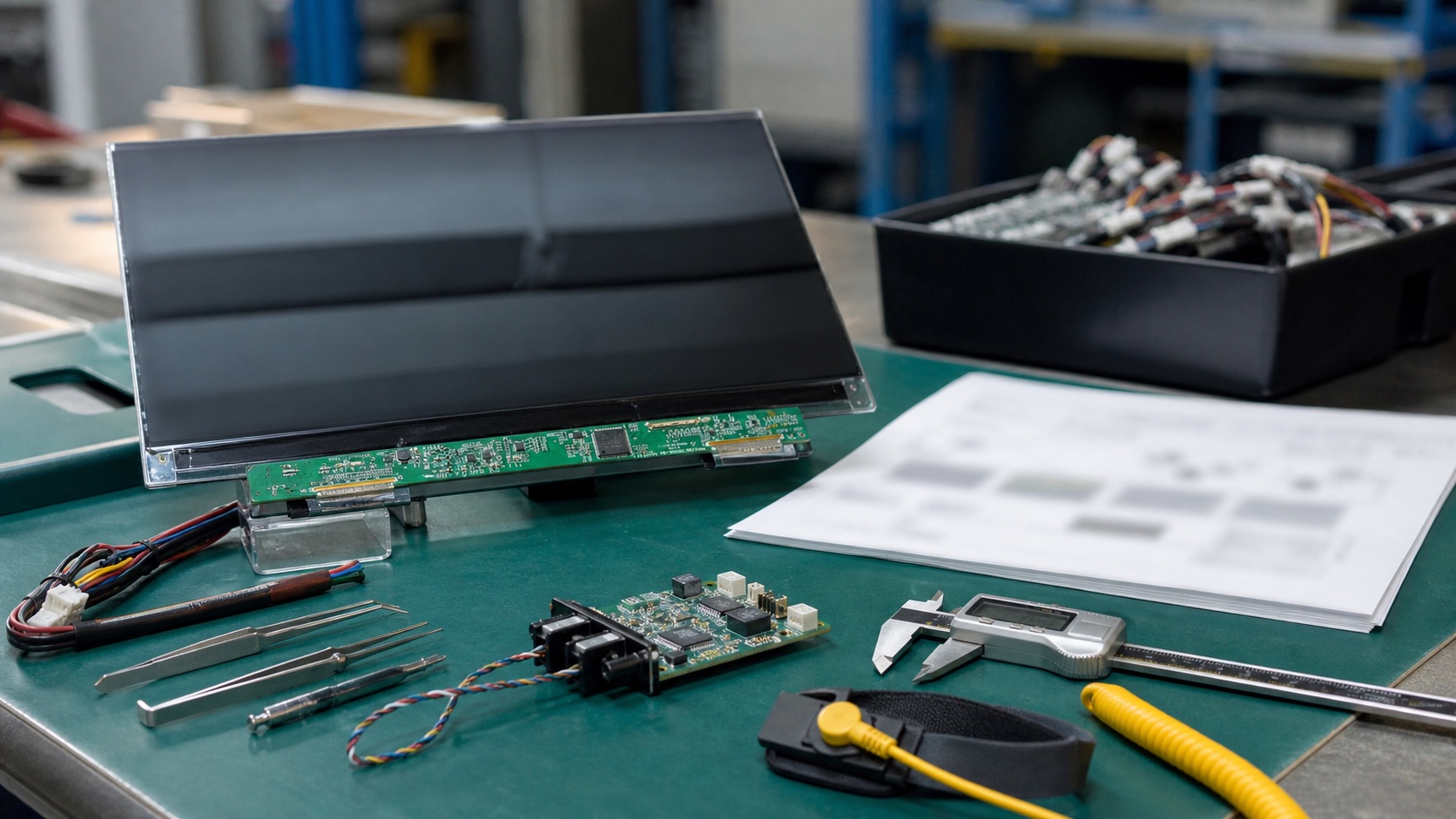
Selecting a display for factory automation equipment, medical devices, energy systems, transportation electronics, and rugged embedded products is rarely a one-variable decision. This guide focuses on selecting an industrial LCD module for a product expected to remain in production for years from an engineering point of view: optical behavior, electrical integration, mechanical stack-up, validation, supply risk, and field reliability.
A display is both an electrical component and a user-facing part of the product. Mistakes in selection can cause mechanical redesign, firmware changes, poor readability, or supply disruptions after certification. The most expensive display problems appear after enclosure tooling or compliance testing, when the team discovers that the chosen module has a short lifecycle, weak temperature margin, or a touch stack that does not match the use environment.
The practical recommendation is simple: Select the display through a cross-functional checklist before mechanical, electrical, and software designs are frozen. The detailed work is in proving that decision against the real product environment, not against a marketing image or an isolated datasheet value.
1. Decision Summary
| Design area | Engineering implication | Practical note |
|---|---|---|
| Optical | Brightness, contrast, viewing angle | Must match environment |
| Electrical | Interface, power, backlight | Must match platform |
| Mechanical | Outline, active area, mounting | Drives enclosure design |
| Reliability | Temperature, vibration, lifetime | Defines field risk |
| Supply | Lifecycle, alternatives, documentation | Protects production |
The table should not be used as a replacement for qualification testing. It is a way to focus the first design review. In a real project, the display decision should involve electrical engineering, mechanical engineering, firmware, industrial design, purchasing, quality, and the supplier application team. Each group sees a different failure mode: signal margin, enclosure tolerance, boot timing, touch feel, lifecycle risk, or cosmetic yield.
2. Define the Use Case Before the Panel
Start with where the product will be used, who reads it, and what information is critical. Indoor wall controls, outdoor kiosks, handheld terminals, and medical instruments need different optical stacks. Resolution should be tied to real UI density, not a desire for the highest number. A 7-inch display used for large buttons does not need the same pixel density as an inspection terminal showing images.
3. Match Interface to Platform and Lifecycle
The display interface should match the processor, cable path, EMI environment, and expected product lifetime. LVDS remains practical for robust industrial systems. MIPI DSI is efficient for compact devices. eDP is strong for higher resolution panels. HDMI is useful for external or replaceable displays but is often less ideal for internal embedded modules. Check not only whether the processor supports the interface, but whether production firmware and drivers support the exact panel.
4. Review Mechanical and Optical Stack Together
Outline dimensions, active area, viewing area, cover lens, touch sensor, gasket, adhesive, and mounting bosses interact. A panel that fits on paper may be difficult to assemble or may hide pixels behind the bezel. Optical bonding changes thickness and tolerance. A cover lens can improve ruggedness but add reflection and weight. Mechanical and optical decisions should be reviewed as one stack.
5. Supplier Documentation and Change Control
Good industrial display selection depends on documentation quality. Ask for drawings, optical specifications, electrical timing, backlight data, reliability tests, PCN policy, and lifecycle status. For long-life products, identify alternates early or define what can change without a full redesign. A low-cost module with weak documentation can consume more engineering time than it saves.
6. Validation Plan
A credible validation plan should use the final display stack, not an open-frame sample sitting on a desk. Build at least one sample with the intended cover lens, touch sensor, bonding method, cable, connector, backlight driver, enclosure, gasket, and firmware. Then test the conditions that match the product: operating temperature, storage temperature, vibration if relevant, ESD, EMI, repeated power cycling, brightness changes, sleep and resume, and long-duration operation.
For optical decisions, inspect the display under the lighting that customers will actually see. For electrical decisions, test with production cable length and realistic grounding. For mechanical decisions, measure tolerance stack-up and assembly repeatability. For software decisions, confirm boot behavior, error recovery, orientation, dimming, and touch calibration. A display that passes a one-hour bench test can still fail when installed in a sealed enclosure, driven at full brightness, or used by an operator wearing gloves.
7. Procurement and Lifecycle Review
Engineering teams should ask suppliers for more than a quotation. Useful documentation includes the LCD datasheet, module drawing, interface timing, backlight electrical data, optical test method, reliability report, RoHS and REACH status if required, packaging specification, PCN policy, and expected lifecycle. If the product is planned for long-term production, identify whether the panel, driver IC, touch controller, LED, polarizer, and adhesive are stable parts or subject to frequent substitution.
Second sources should be considered early. Even when a perfect drop-in alternate does not exist, knowing the nearest replacement helps the team preserve mechanical space, interface flexibility, and firmware options. A display can become a single point of failure for the whole product if the team treats it as a commodity part.
8. Engineering Checklist
- Create a display requirements sheet before requesting samples.
- Test at temperature, brightness, and viewing conditions close to reality.
- Confirm lifecycle and PCN process with the supplier.
- Keep panel drawings, timing, and firmware settings under version control.
9. Final Recommendation
For embedded and industrial products, the best display choice is the one that remains readable, electrically stable, manufacturable, and available throughout the product lifecycle. Do not approve a display from a single specification or a clean-room demo photo. Approve it after the optical stack, interface, touch behavior, thermal path, firmware, and supplier controls have been reviewed together.
That approach takes more effort during design, but it reduces late redesigns, field complaints, and supply surprises. It is also the difference between a display that simply turns on and a display subsystem that supports the product reliably for years.
Related Engineering Context
For custom module projects, use the custom TFT LCD module checklist before requesting supplier samples. When a candidate panel has been identified, the guide to reading a TFT LCD datasheet turns its mechanical, electrical, optical, and reliability tables into an approval workflow. Resolve embedded HMI resolution and PPI requirements together with industrial display aspect-ratio selection before the enclosure and GUI are frozen. For products expected to remain in production for years, the blog on IPS display lifecycle planning explains the supply and revision-control side of the decision.
FAQ
What is the first step in selecting an industrial LCD display?
Start with the product environment and user task, not with size or price. Define lighting, viewing distance, operating temperature, touch requirements, mounting angle, service life, and production volume before comparing panel models.
How much brightness does an industrial display need?
Indoor equipment often works well around 300-500 nits. Bright indoor or shaded outdoor products may need 500-1000 nits. Direct sunlight may require 1000 nits or more, plus reflection control. Brightness should always be reviewed with cover glass, touch, bonding, and thermal design.
Should the panel be selected before enclosure design?
Yes. The panel drawing, active area, FPC exit, connector position, touch stack, cover lens, and cable path can all affect the enclosure. Late display selection often causes mechanical redesign.
What supplier documents should be requested?
Request the datasheet, module drawing, timing specification, backlight data, reliability summary, PCN policy, lifecycle status, packaging specification, and any touch or bonding documentation. For long-life products, documentation quality is part of the display decision.