Custom TFT LCD Module Checklist for Engineering Teams
A practical checklist for custom TFT LCD and IPS display module projects, covering requirements, panel choice, touch, cover glass, backlight, interface, tooling, samples, qualification, and production control.
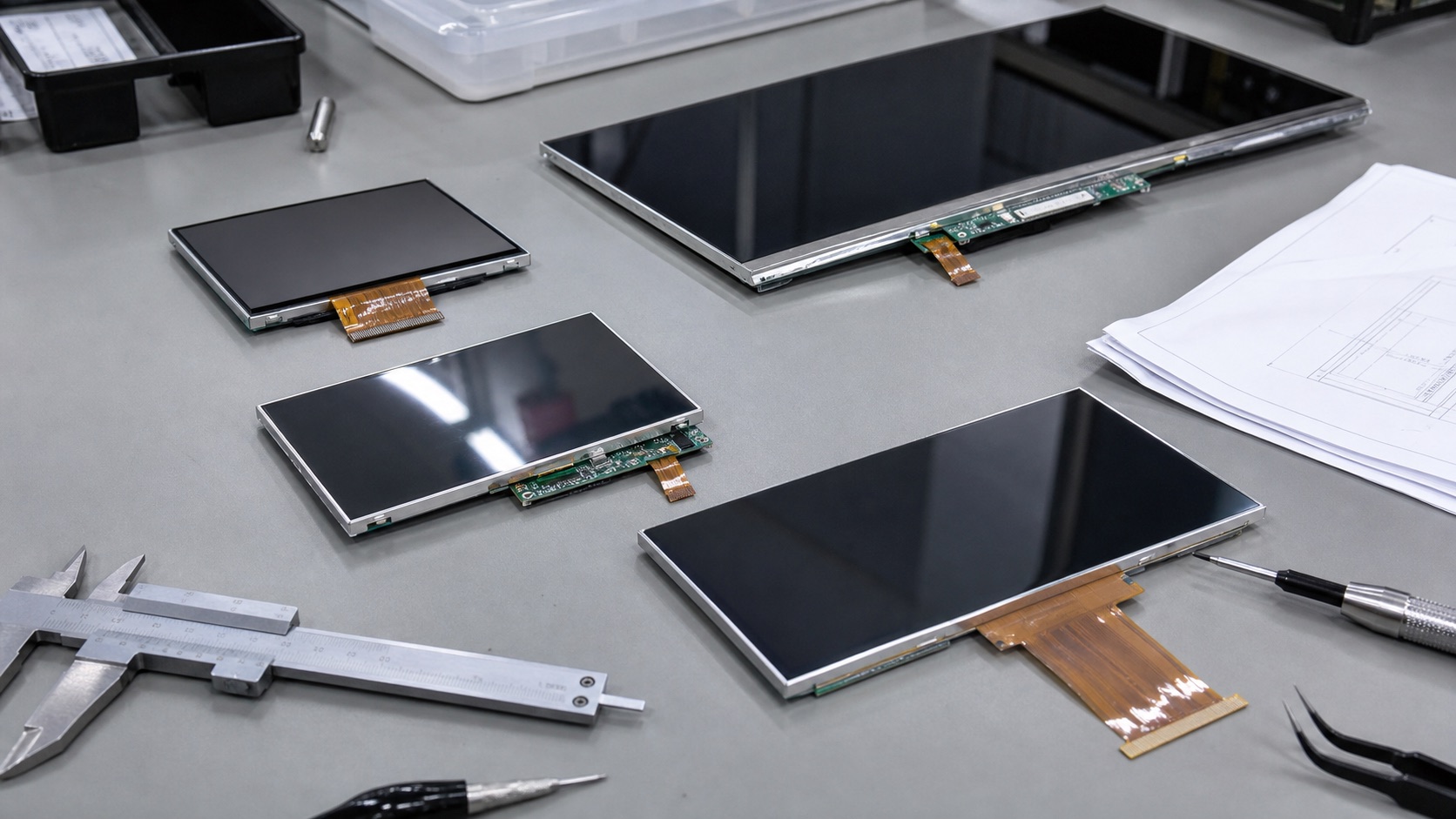
Selecting a display for custom HMIs, medical devices, smart appliances, industrial controllers, and branded embedded products is rarely a one-variable decision. This guide focuses on planning a custom TFT LCD module project without losing control of cost, schedule, and technical risk from an engineering point of view: optical behavior, electrical integration, mechanical stack-up, validation, supply risk, and field reliability.
Custom display modules can solve mechanical and optical constraints, but they add decisions around tooling, materials, validation, supplier control, and long-term repeatability. The usual failure is starting customization from a visual mockup rather than a requirements document. The team then discovers late changes to FPC length, cover glass, touch tuning, or backlight current after samples already exist.
The practical recommendation is simple: Freeze requirements in layers: panel, interface, touch, cover lens, mechanics, optics, reliability, and production controls. The detailed work is in proving that decision against the real product environment, not against a marketing image or an isolated datasheet value.
1. Decision Summary
| Design area | Engineering implication | Practical note |
|---|---|---|
| Panel customization | Moderate effort | Best when base panel is stable |
| FPC change | Common | Affects tooling and signal integrity |
| Cover glass | High visual impact | Needs tolerance and coating control |
| Backlight change | Improves brightness | Adds heat and lifetime risk |
| Full custom LCD | Highest control | Higher MOQ and schedule risk |
The table should not be used as a replacement for qualification testing. It is a way to focus the first design review. In a real project, the display decision should involve electrical engineering, mechanical engineering, firmware, industrial design, purchasing, quality, and the supplier application team. Each group sees a different failure mode: signal margin, enclosure tolerance, boot timing, touch feel, lifecycle risk, or cosmetic yield.
2. Start With a Requirements Document
A useful custom display requirement includes active area, outline target, resolution, brightness, viewing direction, interface, touch mode, cover glass thickness, operating temperature, storage temperature, reliability targets, expected annual volume, and product lifetime. Without these inputs, suppliers will optimize for what is easiest to quote rather than what the product actually needs.
3. Choose the Customization Level
Not every project needs a fully custom LCD cell. Many products can use a standard IPS panel with a custom FPC, backlight, touch sensor, or cover lens. This reduces risk and improves availability. A full custom LCD may be justified when the size, shape, optical mode, or mechanical constraints cannot be met with standard modules, but it usually requires higher MOQ, longer lead time, and stronger forecast confidence.
4. Prototype Samples and Engineering Validation
Early samples should answer specific questions: does the display fit the enclosure, does the interface work, is the brightness adequate, is touch stable, and does the cover glass look correct? Do not treat the first sample as a production approval. Use it to find mechanical tolerance issues, optical reflections, cable strain, EMI concerns, and firmware gaps. Track every change between sample builds.
5. Production Control and Change Management
Custom modules require controlled drawings, approved material lists, golden samples, inspection criteria, and process limits. Define what happens if a polarizer, LED, touch IC, adhesive, or driver IC changes. For regulated or long-life products, supplier PCN behavior matters as much as the first successful sample. The engineering team should own the approved specification, not rely only on email history.
6. Validation Plan
A credible validation plan should use the final display stack, not an open-frame sample sitting on a desk. Build at least one sample with the intended cover lens, touch sensor, bonding method, cable, connector, backlight driver, enclosure, gasket, and firmware. Then test the conditions that match the product: operating temperature, storage temperature, vibration if relevant, ESD, EMI, repeated power cycling, brightness changes, sleep and resume, and long-duration operation.
For optical decisions, inspect the display under the lighting that customers will actually see. For electrical decisions, test with production cable length and realistic grounding. For mechanical decisions, measure tolerance stack-up and assembly repeatability. For software decisions, confirm boot behavior, error recovery, orientation, dimming, and touch calibration. A display that passes a one-hour bench test can still fail when installed in a sealed enclosure, driven at full brightness, or used by an operator wearing gloves.
7. Procurement and Lifecycle Review
Engineering teams should ask suppliers for more than a quotation. Useful documentation includes the LCD datasheet, module drawing, interface timing, backlight electrical data, optical test method, reliability report, RoHS and REACH status if required, packaging specification, PCN policy, and expected lifecycle. If the product is planned for long-term production, identify whether the panel, driver IC, touch controller, LED, polarizer, and adhesive are stable parts or subject to frequent substitution.
Second sources should be considered early. Even when a perfect drop-in alternate does not exist, knowing the nearest replacement helps the team preserve mechanical space, interface flexibility, and firmware options. A display can become a single point of failure for the whole product if the team treats it as a commodity part.
8. Engineering Checklist
- Separate must-have requirements from preferences before requesting quotes.
- Use standard panels where possible and customize the surrounding module.
- Track sample revisions with drawings, photos, test results, and firmware versions.
- Define PCN, reliability, and inspection requirements before mass production.
9. Final Recommendation
For embedded and industrial products, the best display choice is the one that remains readable, electrically stable, manufacturable, and available throughout the product lifecycle. Do not approve a display from a single specification or a clean-room demo photo. Approve it after the optical stack, interface, touch behavior, thermal path, firmware, and supplier controls have been reviewed together.
That approach takes more effort during design, but it reduces late redesigns, field complaints, and supply surprises. It is also the difference between a display that simply turns on and a display subsystem that supports the product reliably for years.
Related Engineering Context
Before approving a custom stack, compare the review points in what engineers check before approving an IPS display module. For outdoor compact HMI projects, the article on 7 inch industrial TFT displays for outdoor use shows how those decisions appear in a real size category.