Capacitive (PCAP) vs Resistive Touch for Industrial Displays
An engineering comparison of projected capacitive (PCAP) and resistive touchscreens for embedded and industrial displays, covering glove and wet-finger operation, optical clarity, durability, EMI, cover glass, and cost.
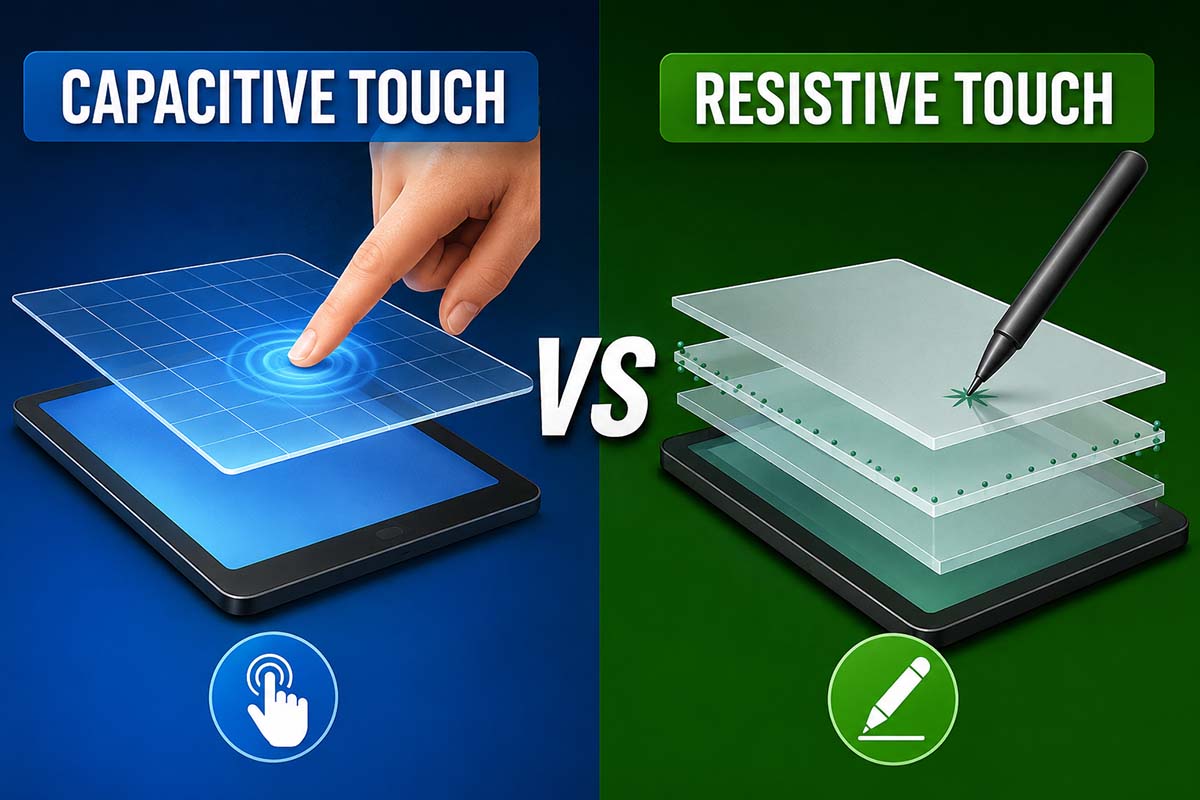
Selecting a touch technology is one of the most consequential decisions in an industrial display build.
It affects glove and wet-finger operation, optical clarity, durability, sealing, and BOM cost—and unlike the panel itself, it shapes how every operator interacts with the device for its entire service life.
This guide compares projected capacitive (PCAP) and resistive touchscreens from an engineering perspective, so you can match the touch layer to the environment instead of defaulting to whatever the panel ships with.
1. Resistive Touch
Overview:
- Two transparent conductive (ITO) layers separated by microscopic spacer dots.
- A finger, stylus, or fingernail presses the top film into the bottom layer; the controller reads the resulting voltage divider as X/Y coordinates.
Strengths:
- Activated by any input—bare finger, thick gloves, stylus, even a pen cap.
- Inherently tolerant of surface water, dust, and contaminants, since it responds to pressure rather than capacitance.
- Low cost and a simple, mature controller ecosystem.
- Naturally single-touch behavior is easy to integrate into legacy control logic.
Limitations:
- Lower optical clarity—the extra film stack typically drops transmittance to ~80–85%.
- Soft PET top surface scratches and wears; lifetime is limited by film fatigue at high-use spots.
- Standard 4-/5-wire designs are single-touch—no gestures or multi-touch.
- Harder to seal flush and clean; less suited to frequent disinfection.
Best For:
Cost-sensitive controls, heavy-glove environments, single-touch button-style HMIs, and retrofits of legacy equipment.
2. Projected Capacitive (PCAP)
Overview:
- A grid of X/Y electrodes patterned under a cover lens.
- A conductive touch (a finger, or a capacitive stylus/glove) locally changes capacitance; the controller resolves position and tracks multiple points.
Strengths:
- Rugged glass front surface (Mohs 6–7) that resists scratches and survives repeated cleaning.
- High optical clarity, and it pairs well with optical bonding for sunlight readability.
- True multi-touch and gestures.
- No moving parts and a flush front, enabling IP65-class sealing and easy wipe-down.
- Tunable for glove and wet operation via controller firmware (see Section 4).
Limitations:
- Requires a conductive touch—thick non-conductive gloves need sensitivity tuning or a thinner/conductive glove.
- Standing water or heavy rain can cause false touches unless water-rejection firmware is enabled.
- More sensitive to EMI and to thick cover glass; both demand proper stack-up and controller tuning.
- Higher cost than resistive, and tuning adds NRE.
Best For:
Modern HMIs, medical and lab equipment, outdoor kiosks, and any premium device needing gestures, durability, or sealing.
3. Comparison Table
| Feature | Resistive | Projected Capacitive (PCAP) |
|---|---|---|
| Activation | Any pressure | Conductive touch (tunable) |
| Multi-touch / gestures | No (typ.) | Yes |
| Optical clarity | ~80–85% transmittance | High; bondable |
| Front surface | Soft PET film | Hardened glass (Mohs 6–7) |
| Glove use | Excellent, any glove | Good, with tuning |
| Wet / rain | Excellent | Good, with water rejection |
| Sealing / cleaning | Limited | IP65-class, easy to clean |
| EMI sensitivity | Low | Medium; needs good design |
| Durability / lifetime | Limited by film wear | High |
| Cost | Low | Medium |
4. Selection Factors for Industrial Use
Glove operation. Resistive works with any glove out of the box. PCAP can be tuned for gloves, but thick or non-conductive gloves push sensitivity up and can trade off against water rejection—so define your worst-case glove early.
Wet, rain, and washdown. Resistive shrugs off surface water. PCAP needs water-rejection firmware to avoid phantom touches; this is the “wet tuning” listed on many of our panel pages. Glove tuning and wet tuning pull in opposite directions, so the controller must be balanced for the real environment.
Optical clarity and sunlight. PCAP’s glass stack bonds cleanly and keeps transmittance high—important outdoors. Combine it with high-brightness panels and optical bonding for outdoor readability when sunlight is a factor.
Cover glass and mechanical design. PCAP supports strengthened cover lenses and thicker glass for impact resistance, at the cost of more controller tuning. Resistive requires a flexible top film, which limits how rugged the front surface can be.
EMI. PCAP is more EMI-sensitive than resistive; in noisy installations, treat touch grounding and shielding with the same care as the display interface routing.
Cleaning and hygiene. A sealed PCAP glass front tolerates repeated disinfection—often decisive for medical and food-processing equipment.
5. Application Recommendations
Choose resistive when:
- The budget is tight and the interface is simple, button-style input.
- Operators wear heavy gloves you cannot standardize.
- The surface is constantly wet and you want zero tuning effort.
Choose PCAP when:
- You need multi-touch, gestures, or a premium feel.
- The device must be sealed, frequently cleaned, or used outdoors.
- Long service life and a scratch-resistant glass front matter.
- Glove and wet operation are required and you can invest in controller tuning.
Most of our IPS panels—such as the 5.0″ 800×480 and the 7″ 1024×600 high-bright—ship with PCAP that supports glove and wet tuning, reflecting where modern industrial design has landed.
Final Thoughts
There is no universally “better” touch technology—only the right match for the environment.
Resistive still wins on cost, glove flexibility, and wet tolerance with no tuning. PCAP wins on durability, optical clarity, sealing, and the multi-touch experience users now expect, provided you budget for controller tuning.
Decide the touch layer alongside the panel and cover glass, not after. Locking glove, wet, and sealing requirements early is what keeps a promising prototype from turning into a costly redesign.
Engineering Validation Notes
For both PCAP and resistive touch, the most reliable evaluation uses the complete product stack. Test with the intended cover lens, gasket, front bezel, grounding method, display backlight level, and enclosure material. A touch panel that performs well as a loose sample may behave differently once the final metal frame, adhesive, and cable routing are added.
Define the operating cases before tuning. For PCAP, list the glove types, water exposure, cleaning chemicals, and EMI conditions that must be supported. For resistive touch, define stylus use, actuation force, expected lifetime, surface hardness, and whether optical clarity is acceptable after long field use. The decision should be tied to real operator behavior, not only to a feature comparison table.
Production control also matters. Controller firmware, sensor stack thickness, adhesive, tail length, and grounding can all change touch margin. Keep approved tuning files, drawings, and golden samples with the product documentation so future substitutions do not silently change the user experience.
Related Engineering Context
If the project is already leaning toward projected capacitive touch, review the PCAP touch panel design guide before freezing cover glass and controller tuning. For a more field-oriented validation view, the blog on evaluating touch performance on industrial IPS displays covers gloves, water, EMI, and production repeatability.