What Engineers Check Before Approving an IPS Display Module
A practical engineering review of what to check before approving an IPS display module for production, including optical performance, interface risk, touch behavior, mechanics, thermal margin, and supplier control.
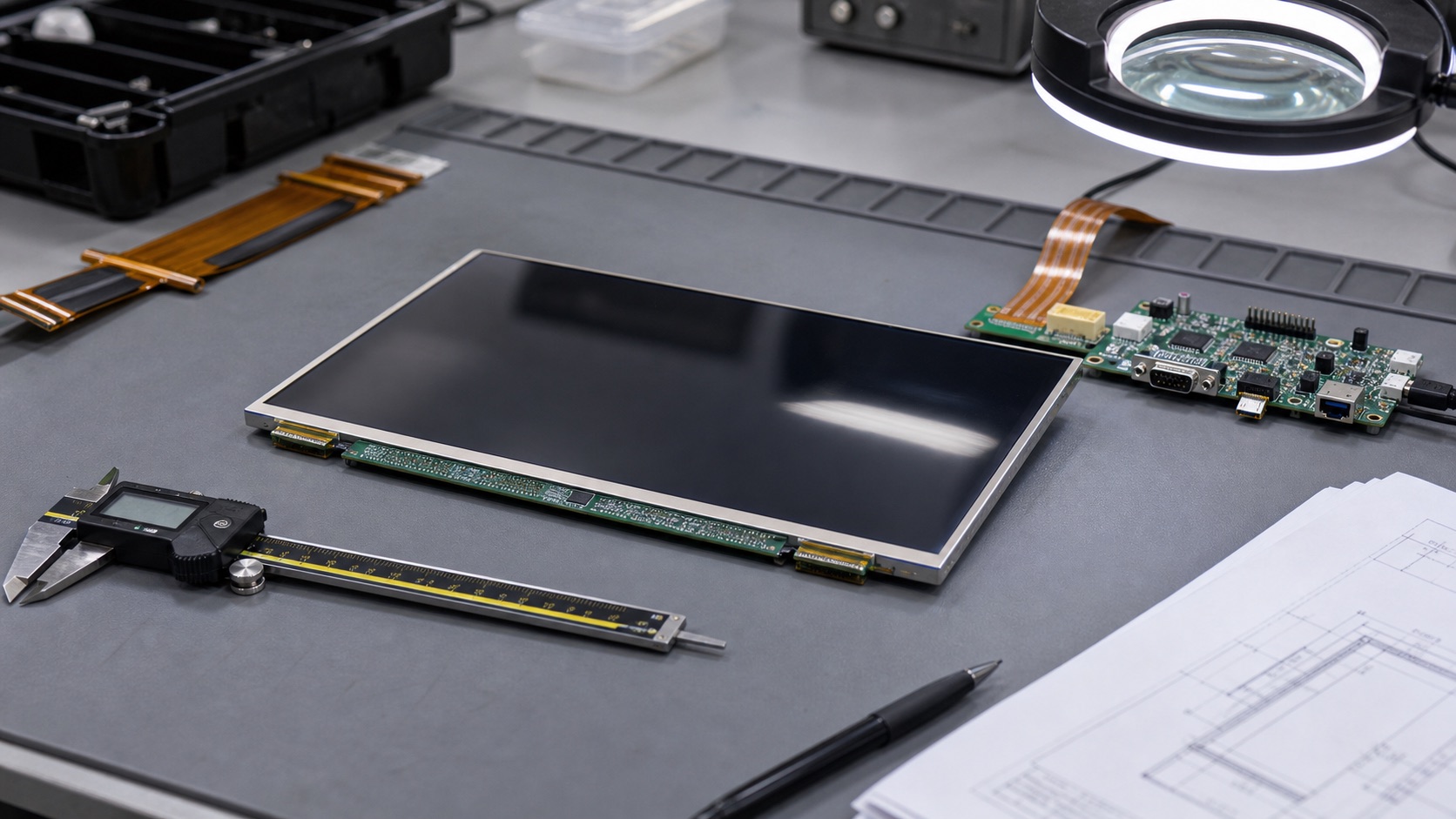
Approving an IPS display module is not the same as saying the sample looks good on a desk. In a real embedded product, the display becomes part of the enclosure, the power system, the firmware, the touch stack, the thermal design, and the supply chain. A small oversight can force a late redesign after tooling, certification, or pilot production.
This is why experienced engineers usually review display modules in layers. They do not start and end with resolution, size, and price. Those are only the visible parts of the decision. The more important question is whether the module will remain readable, stable, manufacturable, and available after the product ships.
Below is the checklist I would use before approving an IPS display module for an industrial or embedded product.
Start with the actual use environment
The first check is not technical in the narrow sense. It is about the use case. Where will the display be installed? Who will read it? How far away will the operator stand? Will the display be viewed from above, below, or from the side? Will the product be used indoors, outdoors, in a vehicle, near a window, or under factory lighting?
IPS displays are chosen mainly because they provide stable viewing angles and consistent color compared with older TN panels. But that benefit still needs to be verified with the real mounting position. A module that looks excellent flat on a bench may behave differently when it is mounted vertically behind cover glass and viewed by an operator standing off-axis.
For an HMI, I like to test the real UI as early as possible. Test patterns are useful, but they do not show whether an alarm color is easy to read, whether small text is too thin, or whether low-contrast gray labels disappear under reflection. The display should be judged with the product’s own screen layouts, not only with a supplier demo image.
Review brightness as part of the full optical stack
Brightness is one of the most misunderstood display specifications. A 1000-nit module is not automatically sunlight readable. The front stack matters: cover glass, touch sensor, air gap, optical bonding, anti-glare treatment, anti-reflective coating, and surface contamination all affect the result.
If the product uses a cover lens, do not approve the display from a bare LCD sample. Add the cover lens and touch panel, or at least build a representative stack. Reflections from the air gap can reduce practical contrast more than people expect. In some outdoor products, optical bonding provides a more visible improvement than increasing backlight power.
Brightness also creates heat. High-brightness backlights draw more current and can shorten LED lifetime if they are driven hard in a sealed enclosure. Before approving the module, check backlight current, driver efficiency, thermal path, dimming range, and expected operating duty cycle.
Confirm the display interface early
The interface should be selected before the board and enclosure are frozen. LVDS, MIPI DSI, eDP, RGB, SPI, and HDMI all bring different cable, firmware, EMI, and lifecycle considerations.
LVDS is still very useful in industrial equipment because it handles moderate cable lengths and noisy environments better than many compact mobile-style interfaces. MIPI DSI is excellent for short internal connections and low pin count, but it depends heavily on correct initialization commands and short FPC routing. eDP is a strong choice for higher-resolution panels, but firmware and link training need attention.
The mistake I see often is treating the display interface as a connector choice. It is not. It affects the processor, PCB layout, cable routing, boot sequence, driver software, EMI test plan, and future replacement options. Before approval, confirm the exact timing, mapping, lane count, color depth, reset sequence, backlight control method, and operating system support.
Check touch behavior with the final stack
If the module includes touch, especially projected capacitive touch, test it as a complete assembly. PCAP touch is sensitive to cover glass thickness, air gaps, bonding, grounding, enclosure material, EMI, water, gloves, and controller firmware.
A touch sample may work perfectly in the supplier’s hand and still fail in the product enclosure. Thick cover glass can reduce touch signal. A metal front bezel can change the ground reference. A noisy power supply can create false touches. Water droplets can confuse the controller if the tuning is too aggressive.
For industrial products, define touch requirements clearly. Which gloves should work? Is wet-finger operation required? Will the unit be cleaned with alcohol or disinfectant? Does the user need multi-touch, or is reliable single-touch more important? The right answer depends on the product. The key is to test the condition that will actually happen in the field.
Do a mechanical fit review before committing
Mechanical review is where many display projects get into trouble. The active area, viewing area, outline, mounting holes, FPC exit direction, connector location, component height, cover glass size, and bezel opening all need to match the enclosure.
Do not check only the outer dimensions. Look at tolerance stack-up. Make sure the bezel does not hide pixels at the edge. Check whether the FPC bend radius is realistic. Confirm that the connector is accessible during assembly. If the display is bonded to a cover lens, review adhesive area, dust control, and rework strategy.
It is also worth building one ugly but honest mechanical prototype. A printed enclosure or machined bracket can reveal cable strain, assembly interference, glare angles, and service access problems that are hard to see in CAD.
Validate temperature and lifetime assumptions
Industrial displays often need to survive wide temperature ranges, long operating hours, vibration, and repeated power cycles. The IPS panel may have a good datasheet rating, but the complete module includes LEDs, polarizers, adhesives, touch sensors, FPCs, connectors, and driver ICs. Each part has its own limit.
At low temperature, LCD response can slow down. At high temperature, backlight aging accelerates and adhesives can be stressed. Outdoor equipment adds sun load, which may push the internal temperature far above ambient. A display approved at room temperature may not represent field behavior.
Before approval, run the module through the expected operating range. Test cold startup, warm restart, full backlight, dimming, sleep and resume, and long-duration operation. If the product is expected to last many years, calculate what the brightness may look like after extended use, not only on day one.
Review supplier documentation and change control
A good display module is not only a good sample. It is a controlled part with usable documentation. Ask for the datasheet, mechanical drawing, interface timing, backlight electrical data, reliability test summary, packaging specification, lifecycle status, and PCN policy.
For long-life products, supplier control is a serious part of engineering. If the driver IC, touch controller, LED, polarizer, or adhesive changes without notice, the display may still look similar but behave differently. That can affect firmware, optical quality, touch tuning, or regulatory documentation.
If possible, identify alternate modules or at least keep enough design flexibility for a future replacement. A display should not become the one part that makes the whole product impossible to build.
Final approval should be cross-functional
Display approval should involve electrical engineering, mechanical engineering, firmware, industrial design, purchasing, quality, and manufacturing. Each team sees a different risk. Electrical engineers see timing and power. Mechanical engineers see tolerance and assembly. Firmware engineers see boot and driver behavior. Purchasing sees availability. Quality sees repeatability.
The best approval process is not complicated, but it is disciplined. Build a representative stack, test it in real conditions, document the settings, and keep supplier data under control. An IPS display module is a visible part of the product and a hidden part of the system architecture. It deserves review from both sides.
IPS Display Approval Checklist
| Review area | What to verify | Evidence to keep |
|---|---|---|
| Optical stack | Brightness, reflection, viewing angle, UI contrast | Photos, inspection notes, optical measurements |
| Interface | Timing, pinout, cable length, firmware support | Datasheet, bring-up log, software settings |
| Touch | Cover glass, gloves, water, EMI, grounding | Touch test report, tuning file, sample revision |
| Mechanical fit | Active area, FPC exit, connector access, bezel opening | Drawing overlay, assembly photos, tolerance notes |
| Thermal behavior | Backlight heat, enclosure temperature, dimming | Temperature readings, derating assumptions |
| Lifecycle | PCN policy, alternates, supplier control | Supplier statement, lifecycle notes, approved docs |
This table is intentionally cross-functional. A display that passes only one discipline can still fail as a product. The approval file should contain enough evidence that another engineer can understand why the module was accepted months or years later.
Related Engineering Context
For projects that need a modified FPC, cover glass, backlight, or touch stack, the custom TFT LCD module checklist gives a structured approval path. If the module is still being selected, start with the industrial LCD display selection guide.