Luminance vs Illuminance: Nits, Lux, and Outdoor Display Testing
Learn the difference between display luminance in nits and ambient illuminance in lux, and how to measure both during outdoor display readability testing.
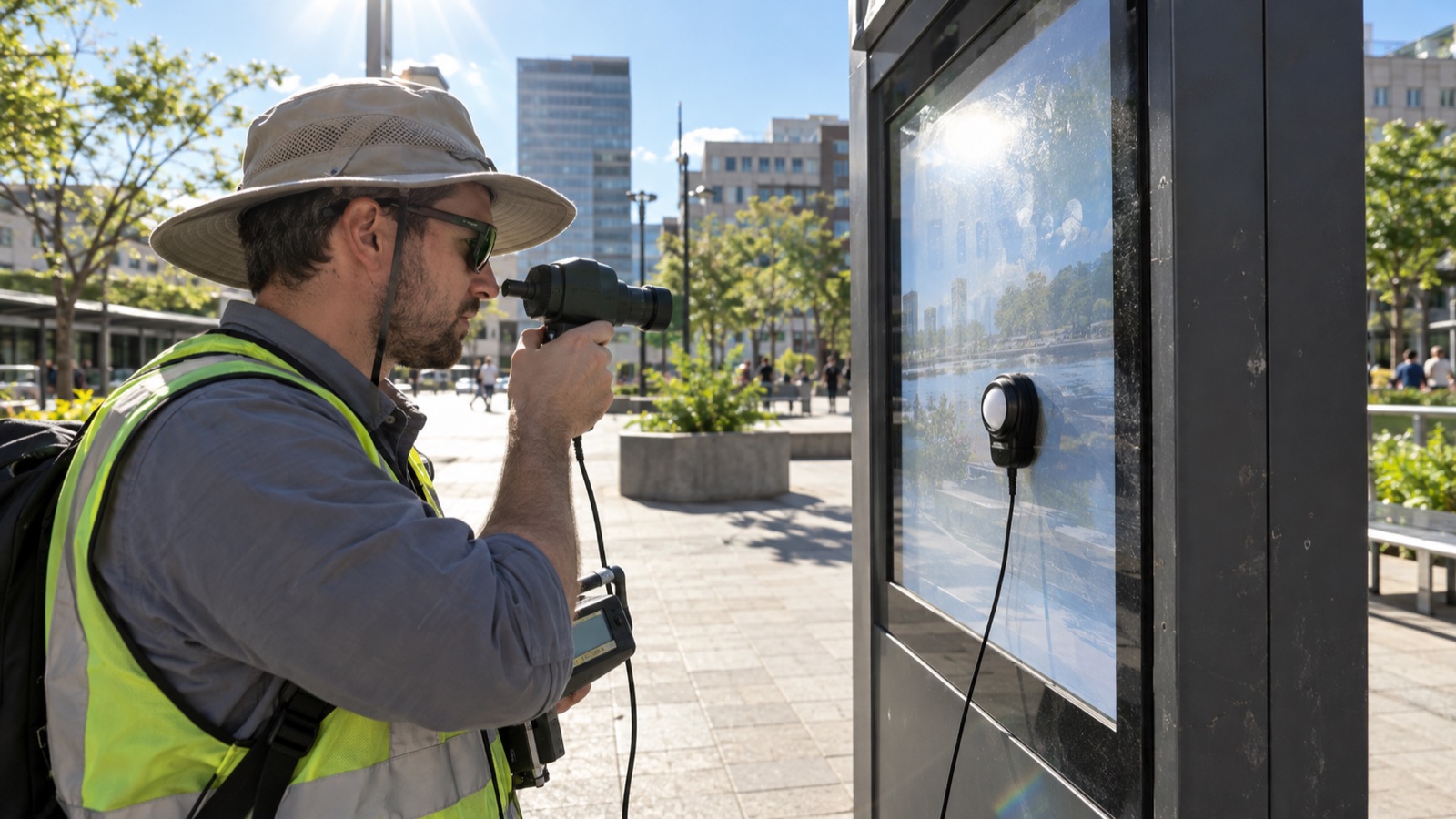
Outdoor display reports often contain a familiar mistake: “The screen measured 40,000 lux.” Lux does not describe how much light the display sends toward the viewer. It describes how much light arrives at a surface. The display’s output in a viewing direction is luminance, normally reported in candelas per square metre, or nits.
Both quantities matter. Luminance tells you what the display produces. Illuminance helps describe the ambient light falling on it. Readability depends on their interaction with reflections, surface scattering, viewing geometry, content, and the observer.
The short definition
The International Commission on Illumination defines luminance as luminous intensity per projected area in a specified direction. Its unit is cd/m². One nit is one cd/m².
CIE defines illuminance as incident luminous flux density at a surface. Its unit is lux, or lumens per square metre.
| Quantity | Practical question | Unit | Typical instrument |
|---|---|---|---|
| Luminance | How bright does this screen or reflection look from here? | cd/m² or nit | Spot luminance meter / imaging photometer |
| Illuminance | How much visible light falls on this plane? | lux | Illuminance meter |
The units cannot be converted without knowing the optical behavior and geometry of the surface.
Why a lux value cannot specify a display
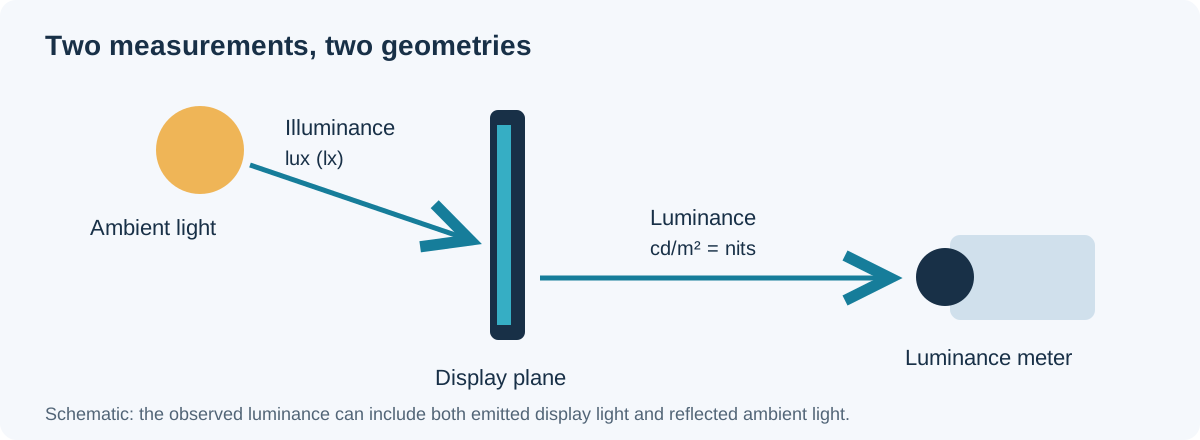
A lux meter has a diffuser that collects incident light over angles and weights it to approximate photopic vision. Place it in the plane of the display, facing the incoming light, and it describes the illumination arriving there.
A luminance meter looks at the display through a defined field of view from a defined direction. It measures emitted screen light plus any reflected ambient light within that field.
Two installations can have the same 20,000-lux reading but very different readability:
- One faces open blue sky; the other reflects a bright building façade.
- One uses low-reflection bonded glass; the other has multiple air-glass interfaces.
- One is shaded from the sun; the other receives a direct specular reflection.
- One is viewed nearly normal; the other at 50 degrees.
Illuminance is valuable context, not a substitute for screen luminance or contrast.
Reflected light is the real competitor
The eye does not compare a display’s nit rating with a lux reading. It sees displayed luminance against luminance added by ambient reflections.
For a perfectly diffuse, Lambertian surface, a rough estimate is:
Reflected luminance ≈ illuminance × diffuse reflectance / π
If 10,000 lux falls on a surface with 4% diffuse reflectance, the estimate is about 127 cd/m². But display cover stacks are not perfect diffuse reflectors. They have specular reflections, anti-glare scattering, internal interfaces, black-mask structures, touch sensors, and angle-dependent behavior. A bright source reflected into the observer can dominate even when the average illuminance is unchanged.
That is why an outdoor test should measure luminance in the actual viewing direction, not calculate it from lux alone.
Contrast under ambient light
A useful first-order quantity is ambient contrast ratio:
CRambient = (Lwhite + Lreflected) / (Lblack + Lreflected)
Suppose a display produces 1,000 cd/m² white and 1 cd/m² black in a dark room. If ambient reflections add 200 cd/m² to both states:
CRambient = (1000 + 200) / (1 + 200) ≈ 6.0:1
The dark-room contrast was 1000:1, yet the useful ambient contrast is roughly 6:1. Increasing backlight can help the white state, but reducing reflected luminance can improve both black level and perceived contrast without the same thermal penalty.
For more context, compare display luminance requirements in real installations with the optical-stack advice in the sunlight-readable display and optical bonding guide.
Instrument setup matters more than the meter price
Luminance measurement
Use a spot luminance meter or imaging photometer with a field of view small enough to sample the intended area. Record:
- Measurement distance and angle.
- Field of view or sampled area.
- Display warm-up time.
- Full-white pattern definition.
- Brightness setting and backlight current.
- Automatic brightness behavior.
- Ambient condition and reflection visible in the glass.
Focus the instrument on the active display plane. If its target circle overlaps the bezel or a UI border, the result is not the center white luminance.
Illuminance measurement
Place the lux meter’s sensing plane parallel to the display surface when the goal is incident illumination on that surface. Do not hold it horizontally unless the display is horizontal. Avoid shading the sensor with your body and record whether direct sun is present.
For a tilted or portrait display, photograph the sensor orientation. A few degrees may not matter under diffuse sky, but direct sunlight is strongly angle dependent.
Separate three useful test conditions
1. Dark-room baseline
Measure center and multi-point white luminance, black luminance if the instrument supports it, uniformity, and power after thermal stabilization. This establishes panel output without large ambient reflections.
2. Controlled ambient test
Illuminate the display with a repeatable source at specified angle and illuminance. Measure white and black luminance from the intended viewing position. This is better for A/B comparisons because weather does not change between samples.
3. Field test
Install the real cover glass, bezel, enclosure, and orientation. Record direct sun, cloud, time, sun angle, lux at the screen plane, screen luminance from the user position, surface temperature, and representative photographs with fixed camera settings.
The outdoor display field-test method provides a repeatable structure for comparing prototypes rather than collecting attractive but inconsistent photos.
Do not chase a single “sunlight readable” threshold
There is no universal nit value that guarantees outdoor readability. A 1,500-nit module behind reflective air gaps may be less usable than a lower-luminance optically bonded display. Content and viewing task also matter: a large black-and-white status icon is easier to read than fine gray text.
Specify the application:
- Direct sun or shaded outdoor use.
- Viewing angle and distance.
- Minimum text size and color combinations.
- Required dwell time and task importance.
- Sunglasses and protective visor use.
- Maximum cover-lens temperature.
- Available electrical and thermal budget.
Then validate the complete product. A high-brightness 7-inch IPS display is only one part of that system; cover reflection, bonding, temperature, and auto-dimming logic can determine the final result.
Common measurement errors
Reporting lux as screen brightness
Correct it by naming the quantity and instrument. “Ambient illuminance was 52,000 lux at the screen plane; white luminance was 1,180 cd/m² at normal view” is useful. “Brightness was 52,000 lux” is not.
Measuring a tiny bright patch
Some displays limit power differently for small and full-screen white areas. Use the actual UI and a standardized full-field pattern where appropriate. Record the pattern.
Ignoring warm-up and thermal throttling
LED output and LCD transmission change with temperature. Measure at defined times and continue until the reading stabilizes. Outdoor sun load can heat the cover and panel independently of backlight power.
Letting the operator become the shade
If the meter, tripod, or engineer blocks incident light or the reflected sky, the measured condition is not the user’s condition. Check the glass from the meter position before taking a reading.
Comparing photos made by automatic exposure
Phone cameras change exposure, tone mapping, and color between shots. Photographs are useful evidence only when position and exposure are fixed. Photometric instruments provide the quantitative record.
A minimum outdoor test log
| Field | What to record |
|---|---|
| Display | Part number, revision, optical stack |
| Drive | Timing mode, brightness command, measured power |
| Environment | Date, time, location, sky, direct sun/shade |
| Geometry | Display tilt, meter angle, distance |
| Illuminance | Lux, sensor plane, meter model |
| Luminance | White, black, relevant UI areas, cd/m² |
| Temperature | Ambient, cover surface, panel/backlight if available |
| Evidence | Fixed-exposure photos and raw measurement file |
Acceptance should describe the task
Instead of “at least 1,000 nits,” a stronger requirement might say:
Under the defined controlled-ambient setup, the released optical stack shall meet the agreed white and black luminance limits at the primary viewing angle, and the specified UI text and warning symbols shall be correctly identified by representative users.
The exact limits belong to the product’s safety, industry, and usability requirements. The principle is to connect optical measurements with the actual task.
Nits and lux answer different questions. Measure luminance in the viewing direction, measure illuminance in the display plane, and record geometry for both. Then evaluate reflected luminance and ambient contrast on the finished stack. That turns “bright enough outdoors” from a marketing phrase into a testable engineering claim.