LCD Timing Parameters Explained: Pixel Clock, Porch, Sync, and Blanking
Understand LCD pixel clock, front porch, back porch, sync pulse, blanking, DE, polarity, and refresh rate with formulas and a worked timing example.
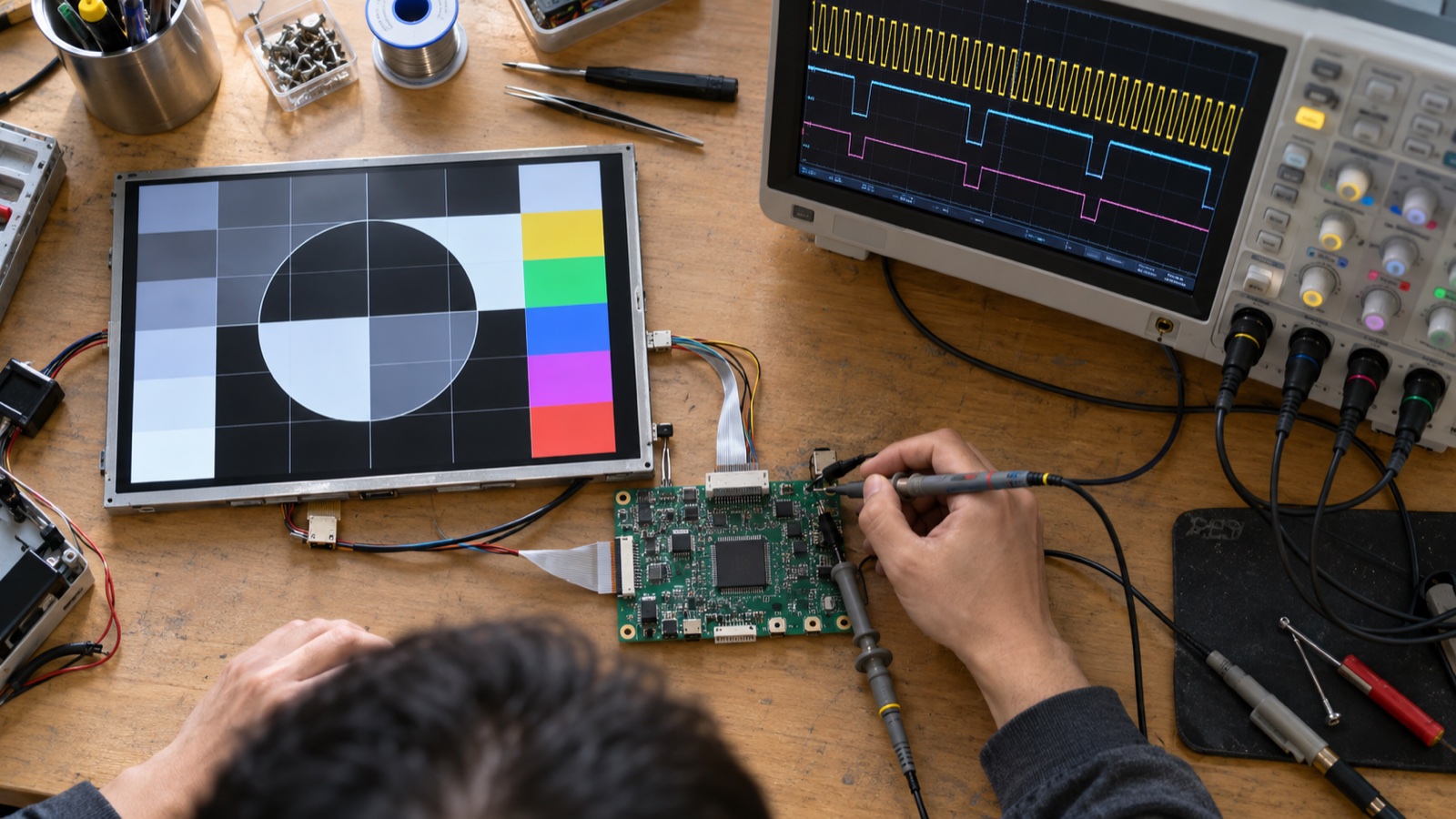
An LCD timing table looks simple until the first image is shifted, unstable, cropped, or completely blank. The trap is treating resolution as the full video format. A “1024 × 600 panel” receives active pixels plus horizontal and vertical blanking intervals, all paced by a pixel clock and qualified by sync or data-enable signals.
These values are not decorative datasheet fields. Together they define when every line begins, where active video sits inside that line, and how often a complete frame is delivered.
One frame has active and inactive periods
For a progressive-scan panel, the controller transmits one line after another from top to bottom. Each line contains:
| Active pixels | Horizontal front porch | HSYNC | Horizontal back porch |
A frame contains active lines and a vertical interval:
| Active lines | Vertical front porch | VSYNC | Vertical back porch |
Different datasheets draw the order from the sync pulse rather than from active video, so the diagram may look rearranged. The totals are what matter:
Htotal = Hactive + HFP + Hsync + HBP
Vtotal = Vactive + VFP + Vsync + VBP
The Linux framebuffer documentation describes the horizontal retrace as the left margin, right margin, and HSYNC length, with an equivalent structure vertically. Its framebuffer timing reference is also a useful reminder that software stacks do not always use the datasheet’s names.
What each timing term means
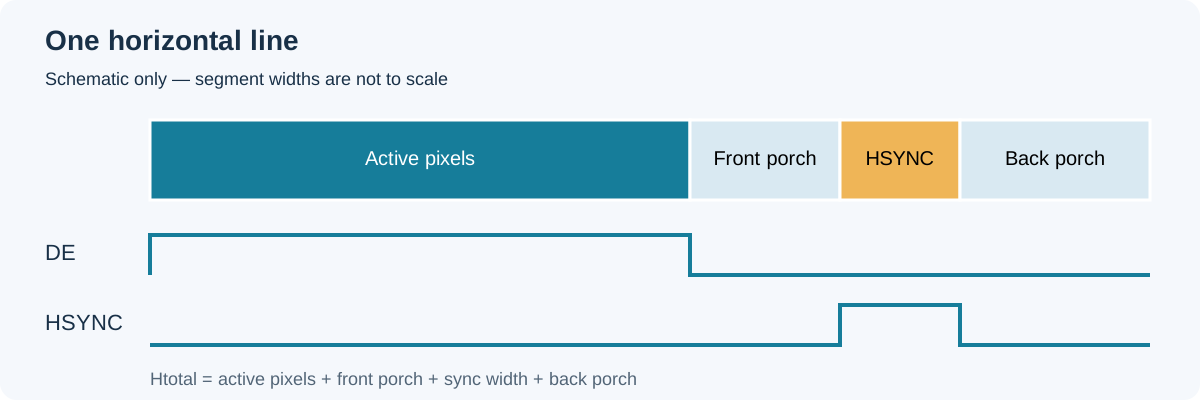
A line contains visible data and blanking. Segment widths in this schematic are illustrative.
Pixel clock
The pixel clock advances the parallel pixel stream. With a classic RGB interface, one pixel is commonly transferred on each active clock. In a serialized interface, the same video timing is packed onto faster lanes; the serializer configuration must still reconstruct the correct pixel stream at the panel.
The approximate relation is:
Pixel clock = Htotal × Vtotal × frame rate
This is why multiplying active width by active height by 60 Hz gives a value that is too low. Blanking must be included.
Front porch
The front porch is the inactive interval after active video and before the next sync pulse. “Front” describes its timing relationship, not a physical side of the screen.
Sync pulse
HSYNC marks the line timing; VSYNC marks the frame timing. The datasheet may specify active-high or active-low polarity. Some panels depend primarily on data enable (DE), but unused or ignored sync signals should still be configured as the panel or bridge vendor recommends.
Back porch
The back porch is the inactive interval after the sync pulse and before the next active region. Changing porch values can shift an image in a monitor-style system, but embedded raw panels usually expect a defined range. Do not use porch adjustment to conceal a mapping or clock problem.
Blanking
Blanking is the sum of the front porch, sync pulse, and back porch. It provides the non-visible timing interval around active data. Modern flat panels do not need an electron beam to retrace, but the timing convention remains fundamental to controllers and panel timing ICs.
Data enable
DE identifies valid pixel periods. It is asserted for the active width on each active line and deasserted during horizontal and vertical blanking. On a DE-only panel, incorrect DE placement can create a shifted or torn image even when HSYNC and VSYNC look reasonable.
Worked example: 1024 × 600 at about 60 Hz
Assume a panel timing table gives:
| Parameter | Value |
|---|---|
| Active width | 1024 pixels |
| H front porch | 160 pixels |
| H sync | 20 pixels |
| H back porch | 140 pixels |
| Active height | 600 lines |
| V front porch | 12 lines |
| V sync | 3 lines |
| V back porch | 20 lines |
Then:
Htotal = 1024 + 160 + 20 + 140 = 1344 clocks
Vtotal = 600 + 12 + 3 + 20 = 635 lines
At a 51.2 MHz pixel clock:
Frame rate = 51,200,000 / (1344 × 635) ≈ 60.0 Hz
Line rate  = 51,200,000 / 1344 ≈ 38.10 kHz
Line time  = 1344 / 51,200,000 ≈ 26.25 µs
The numbers are illustrative, not a universal mode for all 1024 × 600 panels. Two panels with the same resolution may specify different porches, pixel-clock ranges, polarities, or DE behavior. Always use the target module’s current datasheet.
Minimum, typical, and maximum are a system constraint
Datasheets often list timing ranges. A controller setting is valid only if the complete combination remains within limits:
- Pixel clock minimum and maximum.
- Horizontal porch and sync ranges.
- Horizontal total range.
- Vertical porch and sync ranges.
- Vertical total or frame-rate range.
- Setup/hold times relative to the sampling edge.
Choosing every minimum independently may produce a total or refresh rate that violates another line in the table. Start with the typical mode, calculate the resulting line and frame rates, then check every min/max field.
When the source cannot generate the exact typical clock, solve the equation in reverse. Select allowed totals, calculate the actual refresh, and confirm that the panel and application tolerate it. Avoid casual overclocking: it can reduce input timing margin and may fall outside the panel timing controller’s qualification.
Polarity and sampling edge are separate settings
Three choices are often confused:
- HSYNC active polarity.
- VSYNC active polarity.
- The pixel-clock edge on which data is sampled.
A picture with sparkling pixels, color noise, or temperature-sensitive instability can result from sampling data on the wrong edge even when the frame geometry is correct. The TFT datasheet timing table review should include both the waveform diagram and the electrical timing limits, not only the summary table.
Probe near the receiver if possible. A clean SoC pin does not prove adequate setup and hold at the end of a flex cable.
How timing maps into LVDS, MIPI DSI, and eDP
The same active image and blanking concept appears across interfaces, but transport differs.
- RGB TTL: pixel bus, clock, DE, and often HSYNC/VSYNC are visible as separate pins.
- LVDS: a serializer maps pixel bits and control signals into LVDS pairs. Both mapping and clock relationship must match.
- MIPI DSI video mode: pixels and blanking-related packets travel over D-PHY lanes. Burst and non-burst modes change link utilization.
- eDP: the source transmits a standardized video stream after link training; timing is communicated through stream attributes.
Before choosing lane count or link rate, use a proper display link bandwidth calculation. Pixel clock alone is not the serial lane rate; color depth, encoding, packet overhead, blanking treatment, and interface mode also matter.
Symptoms and likely timing causes
| Symptom | Timing items to inspect first |
|---|---|
| Image shifted left/right | DE placement, H porch values, mapping |
| Image shifted up/down | V porch values, DE line count |
| Rolling or periodic loss of lock | Pixel clock, V total, sync polarity |
| Cropped edge | Active dimensions, totals, bridge scaling |
| Sparkle or color noise | Sampling edge, setup/hold, signal integrity |
| Stable test pattern but failed video | Source mode change, bandwidth, bridge FIFO |
| White or black screen | DE polarity, reset/init, power sequence, link not active |
Timing is only one branch of diagnosis. A white screen can also mean the backlight is on while the panel logic is uninitialized. Verify LCD power and reset timing before rewriting porch values.
A disciplined validation method
- Copy the entire timing table and its revision into the design record.
- Mark units explicitly: pixels, lines, hertz, megahertz, nanoseconds, or picoseconds.
- Calculate Htotal, Vtotal, frame rate, line rate, and line time.
- Configure the controller with typical values first.
- Confirm clock edge, DE polarity, and sync polarity.
- Display a one-pixel border and grid to expose cropping or shifts.
- Measure pixel clock, DE width, line period, and frame period.
- Repeat at voltage and temperature corners.
- Save the exact register or device-tree configuration with the waveform captures.
A 7-inch 1024 × 600 high-brightness LCD is a practical example of why resolution alone is insufficient: the module’s interface, timing table, brightness controls, and power sequence all belong in the integration specification.
Timing checklist before releasing firmware
- Active width and height match the panel, not just the UI framebuffer.
- Porches, sync widths, and totals are inside the panel ranges.
- Calculated frame rate matches the measured frame period.
- Pixel-clock frequency and sampling edge are correct.
- DE, HSYNC, and VSYNC polarities match the selected mode.
- Serializer mapping or DSI mode is documented.
- A border/grid pattern shows no missing rows or columns.
- Configuration survives cold start, warm restart, and suspend/resume.
LCD timing is a set of coupled quantities. Change one field and you may change the line rate, frame rate, serial bandwidth, or sampling margin. Calculate the whole mode, validate it at the panel end of the link, and preserve the working values as controlled design data. That is faster than tuning porches by eye every time a board or panel revision arrives.