Operating vs Storage Temperature Ratings for LCD Modules
Understand LCD operating and storage temperature ratings and how to qualify cold start, hot operation, transport, condensation, and recovery.
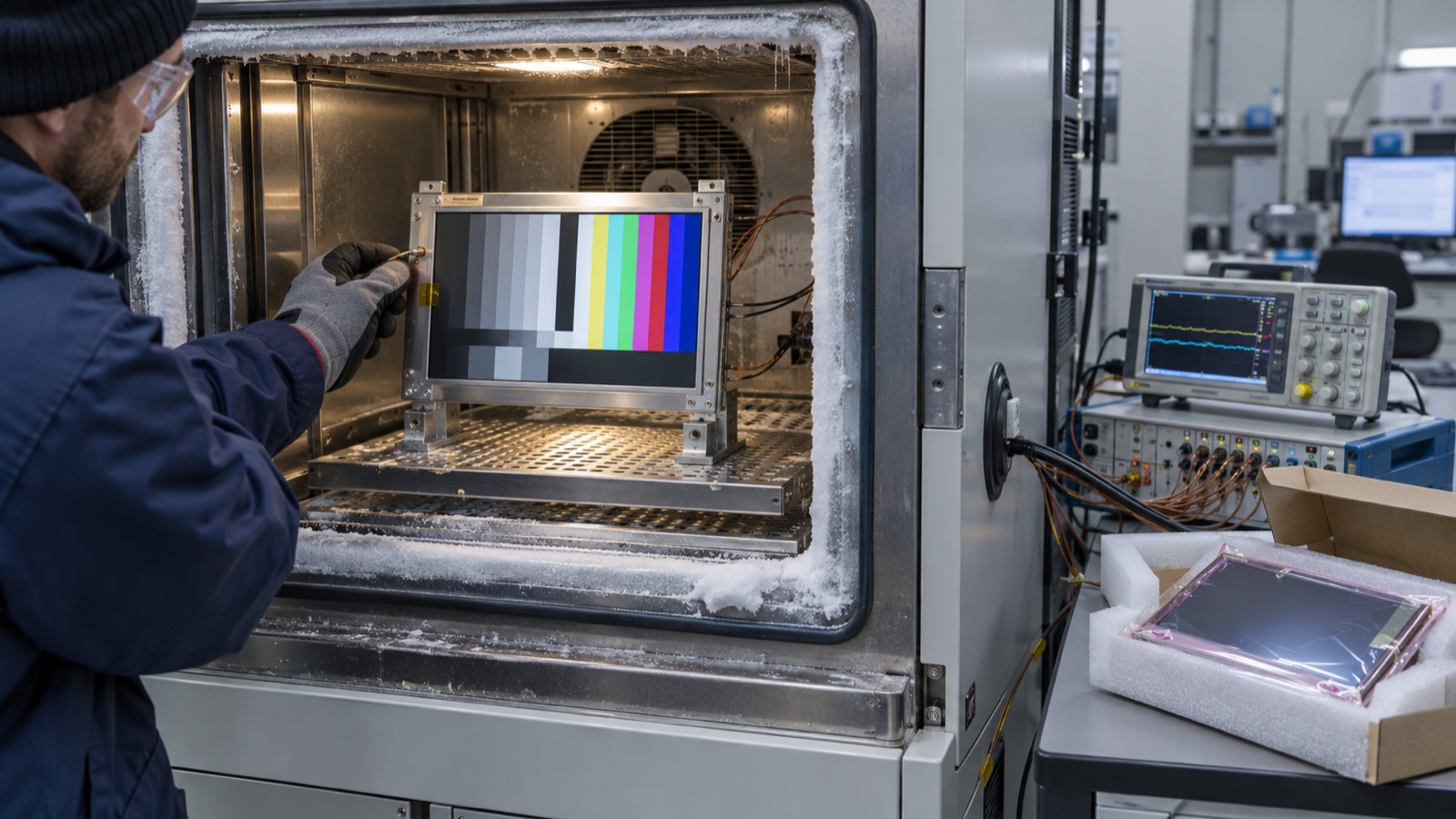
An LCD datasheet may specify an operating range of -20°C to +70°C and a storage range of -30°C to +80°C. It is tempting to read those four numbers as a complete environmental guarantee. They are not.
Operating temperature defines the range in which the module is intended to be powered and functional under the supplier’s stated conditions. Storage temperature normally applies while the module is unpowered. Neither line, by itself, promises normal image quality at the endpoints, unlimited exposure time, safe condensation, a successful cold boot, or survival after the final enclosure heats the display above ambient.
The useful engineering work begins by separating survival, startup, image performance, and long-term reliability.
Operating temperature is a powered condition
Within the operating range, the module should function without violating its specified electrical and material limits. The word “function” needs clarification.
A panel can remain electrically active at the cold limit while showing:
- Slow pixel response and visible trails.
- Reduced contrast.
- Darker or shifted color.
- Delayed touch response from a separate controller.
- Backlight output below its room-temperature value.
- Longer stabilization after startup.
At the hot limit, it may show:
- Changed black level or gamma.
- Backlight thermal derating.
- Increased current in some circuits.
- Greater stress on polarizers, adhesives, and LEDs.
- Touch drift or controller throttling.
Ask whether the operating range is a functional limit, a damage limit, or a range over which every published optical specification is guaranteed. These are rarely the same thing.
Storage temperature applies while unpowered
Storage ratings usually cover an unpowered module exposed to a wider range. They are intended for shipping, warehousing, parked equipment, and other non-operating states.
Being inside the storage range does not mean the display can be powered immediately at that temperature. A module stored at -30°C may need to warm into its operating range before startup. Likewise, a product left in direct sun can be within the ambient storage rating while the internal display stack becomes much hotter.
Storage ratings also do not authorize arbitrary dwell time. Short qualification exposures and years of warehouse storage are different stresses. Packaging, humidity, UV exposure, chemical atmosphere, mechanical load, and electrostatic protection still matter.
A wider storage range is not a wider operating range
Consider a module rated:
| Condition | Minimum | Maximum |
|---|---|---|
| Operating | -20°C | +70°C |
| Storage | -30°C | +80°C |
At -25°C, the module may be allowed to remain unpowered but is outside the guaranteed operating range. At +75°C, powering it can exceed the allowed operating condition even though the same temperature is permitted for storage.
Firmware should enforce this distinction if the final product can encounter those states. A temperature sensor, heater, fan, delayed startup, backlight derating, or controlled shutdown may be necessary.
The rating point must be identified
“Ambient temperature” can mean chamber air around an open module. The display inside a product experiences a different thermal system.
Relevant measurement points include:
- Air outside the enclosure.
- Air inside the enclosure.
- LCD cell or active-area surface.
- Metal frame.
- Timing-controller board.
- LED light bar or backlight PCB.
- Touch-controller IC.
- Application processor and bridge IC.
A sealed outdoor terminal can see 40°C ambient air, solar heating through the cover glass, heat from the backlight, and heat from the processor at the same time. The LCD surface may exceed its operating maximum even though a nearby air sensor appears acceptable.
Place sensors where the risk exists. The high-brightness LCD thermal margin process explains why backlight power and sealed-enclosure temperature need to be reviewed together.
The complete assembly is limited by its weakest component
The LCD cell is only one part of a display assembly. Check the rated ranges of:
- Backlight LEDs and driver.
- Timing controller and source/gate drivers.
- Touch sensor and touch-controller board.
- OCA or OCR bonding material.
- Cover-lens ink and adhesive.
- FPC, connector, and solder joints.
- Gasket and sealant.
- Polarizers and compensation films.
- Bridge IC and power supply.
A display advertised as “wide temperature” can still be constrained by a consumer-grade touch controller or adhesive. Request ratings for the delivered module configuration, not only the underlying LCD cell.
What cold does to an LCD image
Liquid-crystal viscosity increases as temperature falls, slowing molecular movement. The result is longer optical transition time. The low-temperature LCD response-time test should therefore use moving content and gray transitions, not just a static boot logo.
Cold can also alter TFT threshold behavior and the bias voltages needed to charge pixels correctly. Depending on the design, users may see flicker, image sticking, lower contrast, or nonuniform recovery.
Do not assume the backlight will heat the display quickly enough. Warm-up rate depends on brightness, enclosure, airflow, mass, insulation, and the initial soak. A product that recovers after five minutes may still fail a requirement to show an alarm within ten seconds.
What heat does to the module
High temperature accelerates many aging mechanisms. It can reduce LED output and lifetime margin, soften or yellow optical materials, increase adhesive stress, and shift the display’s electro-optical behavior.
The most dangerous condition is often not a controlled chamber at high ambient temperature. It is a sun-loaded enclosure running full backlight and full processor load. Measure the final product at worst-case input voltage and brightness, after thermal stabilization.
Thermal protection needs hysteresis. If firmware turns the backlight off at one threshold and immediately restores it one degree lower, the product may cycle visibly. Define warning, derating, shutdown, and restart thresholds with enough separation and time filtering.
Humidity and condensation are separate requirements
Temperature ranges are frequently printed beside a relative-humidity note. That note matters. Warm air can hold more moisture than cold air; rapid transitions can produce condensation on glass, connectors, or electronics.
Condensation can cause:
- Leakage and corrosion.
- Temporary touch malfunction.
- Fogging in the optical stack.
- Staining at panel edges.
- Delamination or bubbles after repeated cycles.
A “no condensation” condition means the numerical temperature range does not cover wet operation. Products moving from a cold vehicle into a warm humid room may need sealing, controlled warm-up, desiccant strategy, venting, or a qualification test that represents the transition.
Cold start is different from cold operation
There are at least four distinct test states:
- Warm start, then cool down: useful for observing a powered system, but not a cold-start test.
- Cold soak, power on at temperature: exposes initialization and first-image behavior.
- Stabilized cold operation: measures image performance after self-heating reaches equilibrium.
- Recovery: checks image, touch, and materials after returning to room temperature.
For a proper cold start, soak the complete unpowered product until internal sensors stabilize near the target. Then power it using production firmware and record rails, reset, video, backlight, first usable image, touch response, and optical recovery.
The broader wide-temperature display qualification plan can be used to set dwell, ramp, sample quantity, and acceptance criteria.
Transport and storage need their own test profile
Shipping can combine temperature extremes with vibration, shock, low air pressure, and packaging compression. Warehouse storage can add long dwell and humidity. Vehicle storage can add rapid solar heating.
Define:
- Temperature extremes and duration.
- Ramp rate.
- Powered or unpowered state.
- Packaging configuration.
- Humidity and condensation control.
- Number of cycles.
- Recovery time before inspection.
- Electrical, optical, touch, and cosmetic checks.
After storage exposure, inspect more than “powers on.” Check bubbles, mura, polarizer deformation, edge leakage, backlight uniformity, touch accuracy, connector damage, and changes against a control sample.
Example product requirement matrix
| Requirement | Example definition | Evidence |
|---|---|---|
| Cold storage | -30°C, unpowered, 24 h | No damage after controlled recovery |
| Cold start | -20°C after full soak | Usable alarm screen within 30 s |
| Cold operation | -20°C stabilized | Critical text readable; response limit met |
| Hot operation | +65°C ambient plus full load | LCD surface below approved maximum |
| Hot storage | +80°C, unpowered, 24 h | No delamination, bubbles, or permanent shift |
| Thermal cycling | Defined ramps and dwell | Functional and cosmetic checks after cycles |
| Condensation | Application-specific transition | No unsafe behavior or trapped moisture |
These are examples, not universal limits. Values should come from the product environment and module capability.
Read the notes under the temperature table
A temperature line in “absolute maximum ratings” is not the same as a guaranteed performance table. Read the footnotes for:
- Humidity derating above a specified temperature.
- Surface-temperature limits.
- Optical measurements performed only at 25°C.
- Reduced response below 0°C.
- Required recovery before inspection.
- Restrictions on long-term storage.
- Different ranges for LCD and touch components.
One Densitron module specification, for example, lists -30°C to +85°C operating and -40°C to +90°C storage, then notes that only operation is guaranteed across the operating range while contrast, response, and other display quality are evaluated at 25°C. That distinction is exactly why the table must not be read as a full optical guarantee.
Questions for the supplier
- Is the range for the LCD cell or the complete delivered module?
- What is guaranteed at the operating endpoints?
- What temperature point was monitored during qualification?
- Can the panel be powered directly after storage at the storage limit?
- What cold-start response and image artifacts should be expected?
- Are touch, bonding, connector, and backlight rated to the same range?
- What humidity limits and no-condensation conditions apply?
- How long were storage endpoints tested?
- What cycling, dwell, and recovery procedures were used?
- Are minimum/maximum values guaranteed or typical?
Treat temperature as a system behavior
Operating and storage ranges are screening limits, not a complete product specification. Translate them into startup time, image readability, touch operation, surface temperature, survival, and recovery requirements for the final assembly.
A wide-temperature 7-inch IPS panel option can be a useful starting point for an outdoor design, but the enclosure, thermal path, backlight settings, and qualification method still determine whether the product succeeds in the field.
FAQ
Can an LCD be powered within its storage range?
Only where the storage range overlaps the operating range. Outside the operating rating, powered function and reliability are not guaranteed unless the supplier explicitly says otherwise.
Does an operating rating guarantee normal response time at the endpoints?
Not necessarily. Many optical values are characterized at room temperature. Request endpoint data and define a product-specific acceptance test.
Why is the storage range usually wider?
An unpowered module does not need to switch pixels, drive LEDs, or meet image-quality limits. Material survival can therefore extend beyond functional operation.
Should chamber air be used as the display temperature?
Not alone. Measure the LCD surface or frame and other critical components, especially in sealed or sun-loaded products.
Technical references
- Densitron TFT LCD module specification — an example of separate operating/storage ratings and room-temperature optical qualification notes.
- Texas Instruments explanation of LCD temperature compensation — describes viscosity, TFT threshold behavior, and cold-temperature bias considerations.