Building a Known-Good Display Bring-Up Package
Build a reproducible display bring-up kit with controlled hardware, firmware, cables, power settings, test patterns, waveforms, logs, and acceptance evidence.
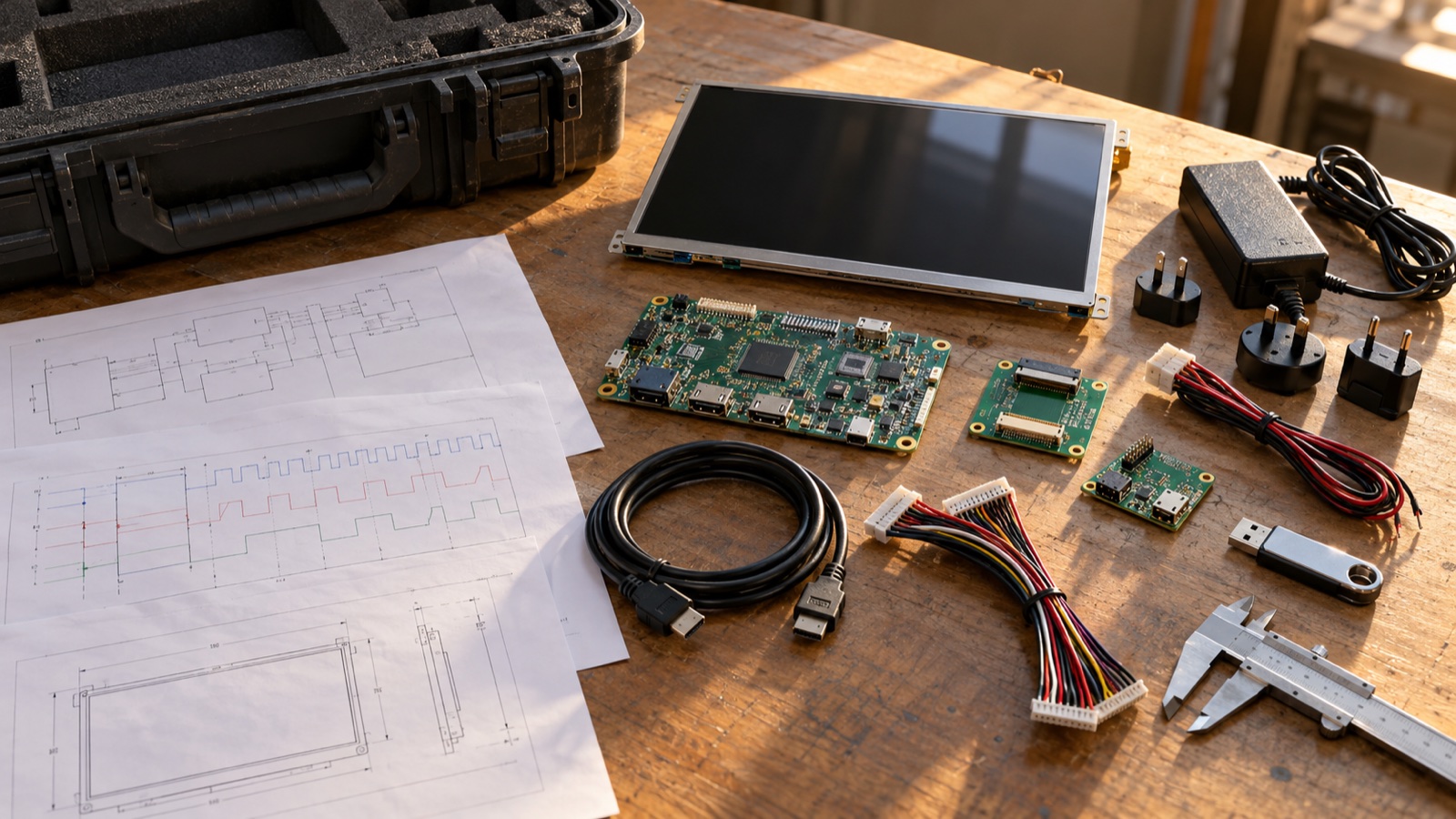
“It worked on the evaluation board” is not a transferable engineering result. Six weeks later, the board may be gone, the cable may have been borrowed, and nobody remembers which binary or power-supply limit produced the clean image.
A known-good display bring-up package converts a successful bench session into a reproducible reference. It gives firmware, hardware, test, suppliers, and contract manufacturers the same starting point. It also shortens fault isolation because each new item can be compared against something proven.
The package is not only a golden panel. It is a controlled system plus evidence.
Define what “known good” means
A reference is known good only for a stated purpose and configuration. A module that shows a desktop at room temperature may not yet be known good for:
- Cold start.
- Maximum brightness.
- Suspend and resume.
- High-temperature operation.
- Touch operation under noise.
- EMI or ESD compliance.
- The production cable length.
Write a short acceptance statement, such as:
The reference set boots from power-off, initializes the panel, displays all required test patterns at the released timing mode, controls backlight from 10% to 100%, and completes 100 restart cycles at room temperature without visual or link errors.
That statement prevents “golden” from becoming an informal label attached to an unverified assembly.
The package has six controlled layers
1. Display and optical stack
Record the full manufacturer part number, revision, lot/date code, and serial number if available. Photograph labels before the module enters an enclosure. Include touch panel, cover glass, optical bonding, and backlight variant because these can change power, mechanical load, and visible behavior.
Protect the reference from casual development use. Repeated flex insertions, adhesive rework, and probe damage can quietly degrade it.
2. Controller and adapters
Identify:
- Main board assembly and PCB revisions.
- Processor or bridge IC stepping.
- Display adapter board and resistor stuffing options.
- Level shifters, serializers, and backlight drivers.
- Rework wires or component substitutions.
Photograph both sides at enough resolution to see orientation and assembly differences. A handwritten “R47 changed” note is not sufficient; update the marked schematic or controlled deviation record.
3. Cables and fixtures
Cables are part of the electrical design. Record supplier, part number, length, conductor orientation, shielding, label, and revision. Include spare known-good cables in separate bags rather than assuming any visually similar FFC is equivalent.
Add the exact adapter, jig, stand, and strain relief used during validation. If the cable route affects signal integrity or EMI, include a photograph and a simple dimensioned sketch. For selection details, see the display connector and FPC cable requirements.
4. Power equipment and settings
Document each rail’s nominal voltage, current limit, ramp method, and connection point. Save oscilloscope captures of the released startup and shutdown sequence. Note whether the panel, logic board, and backlight use one supply or separate instruments.
Current limit is important. A bench supply set too low may enter constant-current mode during startup and create a ramp that never exists in the final product. A limit set dangerously high can hide a short until the flex is damaged.
The evidence should include LCD power-sequence measurements for rails, reset, interface activity, and backlight enable.
5. Software and configuration
Archive a reproducible build, not only a binary copied from a developer’s desktop. Include:
- Source revision or immutable commit ID.
- Build instructions and toolchain version.
- Binary checksum.
- Bootloader, kernel, device tree, and panel driver versions.
- Bridge IC register dump.
- Panel initialization sequence.
- Timing mode and lane configuration.
- Backlight curve and PWM settings.
- Known boot arguments or configuration switches.
MIPI DCS standardizes many display-control commands, but a panel may still require a vendor-specific sequence or delay. The MIPI Display Command Set overview is useful context; the released panel datasheet and initialization file remain the actual project authority.
6. Expected evidence
Store what a passing unit looks and measures like:
- Boot log from power-on through first frame.
- Oscilloscope captures with probe points and scales.
- Link error counters, if supported.
- Photographs of each test pattern.
- Luminance and current at defined brightness settings.
- Touch diagnostic output, where applicable.
- Thermal image after steady operation.
- Known harmless warnings and their explanation.
Evidence turns a subjective “looks okay” judgment into a comparison.
Use a manifest as the front door
The package should open with one manifest. A simple table works:
| Item | Identifier | Revision/checksum | Status |
|---|---|---|---|
| LCD module | Full part number + serial | Rev C | Reference |
| Main PCB | Assembly number | Rev 2.1 | Reference |
| Adapter | Assembly number | Rev A | Reference |
| Display cable | Supplier part number | 250 mm, Rev B | Reference |
| Firmware image | Filename | SHA-256 | Released |
| Device tree | Repository path | Commit ID | Released |
| Power profile | Instrument setup | Version 1.2 | Released |
| Test procedure | Document number | Rev 3 | Approved |
Do not call a folder final-final2. Give the package a release number and date, then make it read-only. Later improvements become a new release with a change log.
Build a small but revealing test-pattern set
The package should start without a network connection or external UI assets. Include local patterns that expose different failures:
- Red, green, blue, white, and black fields.
- One-pixel white border.
- Checkerboard and alternating vertical pixels.
- Horizontal and vertical gradients.
- Fine text at the minimum intended UI size.
- Moving bar or scrolling content.
- Touch target grid, if applicable.
The border reveals cropping and timing offsets. Alternating pixels stress bandwidth and sampling. Gradients expose color-depth or mapping errors. Motion reveals tearing and refresh problems.
Capture waveforms so another engineer can repeat them
Every scope capture needs:
- Signal names and physical probe locations.
- Board and panel revision.
- Power state and trigger event.
- Probe type and bandwidth limit.
- Horizontal and vertical scales.
- Relevant voltage thresholds.
- Pass limits or expected sequence.
Photograph the probe placement. Without it, the next engineer may measure at the power supply while the original capture was made at the panel connector.
For a serial link, retain representative clock/data measurements or protocol-analyzer evidence as appropriate. For RGB, keep pixel clock, DE, HSYNC/VSYNC, and data setup/hold observations. Follow a repeatable display bring-up fault-isolation process rather than changing power, software, and cabling at once.
Add a swap matrix for fast diagnosis
A known-good set is most valuable when components can be exchanged one at a time.
| Test unit | Test controller | Test cable | Result | Likely direction |
|---|---|---|---|---|
| Suspect | Golden | Golden | Fails | Panel/module path |
| Golden | Suspect | Golden | Fails | Controller/software path |
| Golden | Golden | Suspect | Fails | Cable/connector path |
| Suspect | Suspect | Golden | Passes | Intermittent or interaction; continue testing |
Power down before swaps unless every component explicitly supports hot-plugging. Mark each item physically so the matrix cannot be corrupted by an accidental exchange.
Include recovery instructions
A useful package explains how to recover from the failures most likely to block work:
- Restore bootloader or firmware.
- Force a safe display mode.
- Clear nonvolatile bridge settings.
- Reflash an adapter MCU.
- Enter diagnostic mode without a working display.
- Confirm that a panel is not being held in reset.
Keep the recovery tool and driver installer with the package when licensing permits. Test recovery on a spare unit before depending on it.
Storage and change control
Keep one working reference and, for critical programs, one sealed master. Store LCDs within specified temperature and humidity conditions, protect connectors, and avoid pressure on the active area. Log every loan and any abnormal event such as a drop, ESD strike, or cable-latch damage.
When a component changes, do not overwrite the reference silently. Create a comparison release and state:
- What changed.
- Why it changed.
- Which validation was repeated.
- Which risks remain open.
- Whether the previous reference is still supported.
This is especially important for panels sourced under a compatible-part policy. A matching outline and resolution do not prove identical timing, mapping, power, or optical behavior.
Recommended handoff checklist
- Acceptance definition is written and testable.
- Panel, boards, cables, and fixtures are labeled by revision.
- Firmware is reproducible and checksummed.
- Panel timing and initialization are archived.
- Power-supply settings and sequence captures are included.
- Local test patterns run without external services.
- Passing logs, waveforms, and photos are available.
- Swap procedure and recovery steps have been tested.
- Package has an owner, release date, and change history.
- Golden hardware is stored separately from daily debug stock.
A compact 5-inch IPS display module can make a convenient portable reference when the project needs a small bring-up fixture, provided the exact controller, cable, timing, and software are kept with it.
The goal is not to preserve a lucky prototype. It is to preserve a repeatable state. When hardware identity, cable routing, power behavior, software, test patterns, and expected measurements are controlled together, a successful bring-up becomes reusable engineering data. That saves far more time than the few hours required to assemble the package properly.