IPS Displays and Polarized Sunglasses: How to Avoid Blackout
Learn why an IPS LCD can go dark through polarized sunglasses and how panel orientation, optical retarders, cover glass, and rotation testing prevent field failures.
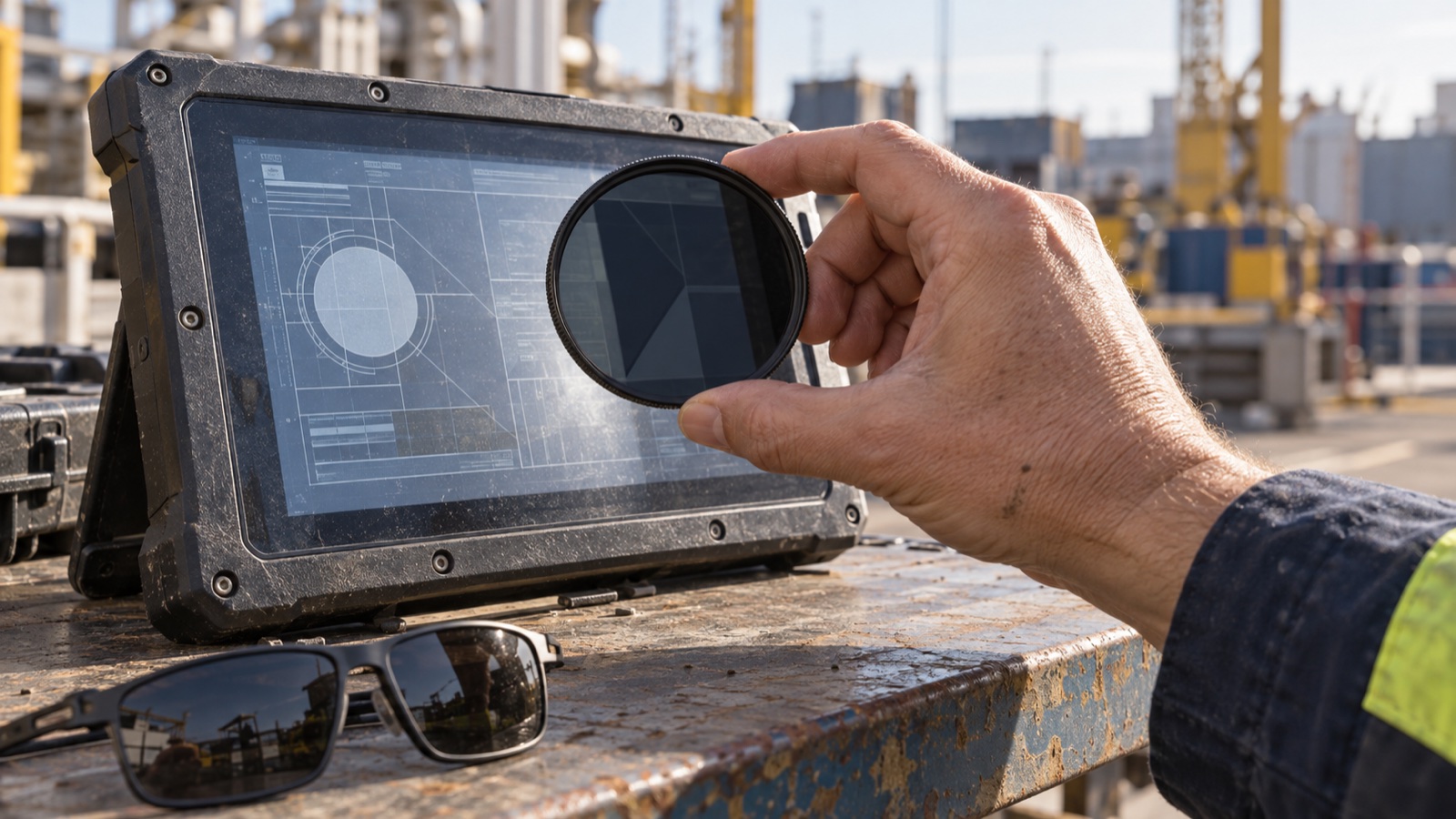
An IPS display can look clear from a wide angle and become almost black when the user puts on polarized sunglasses. Turning the head or rotating a handheld product may bring the image back. That behavior can surprise a team that already checked brightness and the panel’s 178-degree viewing-angle claim.
The missing check is polarization compatibility. IPS improves liquid-crystal viewing behavior; it does not guarantee visibility through every external polarizer.
Why the screen goes dark
An LCD uses polarizers and liquid-crystal modulation to control light. Light leaving a conventional LCD is usually strongly polarized, although compensation films and the complete optical stack can make the final state more complex.
Polarized sunglasses contain another polarizer. When its transmission axis is close to the display light’s polarization direction, much of that light passes. Rotate the glasses toward a crossed orientation and transmission falls.
For ideal linearly polarized light and an ideal analyzer, Malus’ law gives:
Transmitted intensity = incident intensity × cos²(θ)
At 0 degrees the axes align. At 45 degrees the ideal transmitted intensity is half. At 90 degrees it falls to zero. Real LCDs and sunglasses leak some light, and spectral or angular effects change the result, but the principle explains the rotation-dependent blackout. Edmund Optics gives the optical basis in its polarization and Malus’ law reference.
A wide viewing angle does not cover sunglasses
The panel’s viewing-angle specification is normally measured without the user’s sunglasses. It may use a contrast threshold at a defined observation angle. Adding an external analyzer changes the optical system.
You therefore need separate checks for:
- Off-axis contrast and color.
- Visibility through polarized eyewear.
- Head rotation while wearing that eyewear.
- Cover-glass stress patterns and color artifacts.
- Ambient reflections in the installed orientation.
The IPS viewing-angle and contrast limits are useful for defining the first check, but sunglasses need their own test.
Orientation can turn a good sample into a field problem
Rotating the panel 90 degrees changes its polarization orientation relative to a user wearing glasses upright. A module that works in landscape may become very dark in portrait, or the reverse. The actual result depends on the module’s output polarization.
Software image rotation does not rotate the polarizer. If the glass stays in the same physical orientation, rotating the framebuffer changes content only. If the mechanical design rotates the entire module, the optical relationship changes.
Confirm the final assembly orientation early, alongside the portrait and landscape display layout. Include allowable head tilt and the orientation of a handheld device during use.
More backlight usually leaves the weak angle weak
If the eyewear transmits only a small fraction of the display output at the worst angle, increasing luminance can consume substantial power for little practical improvement. It also increases heat and may still leave critical content unreadable.
Measure the worst viewing condition before raising the nit target. Brightness, reflections, and polarization need separate remedies. A high-brightness outdoor IPS module still needs eyewear testing in its final stack.
Practical mitigation options
Choose a suitable output-polarization orientation
Ask the module supplier for the output-polarization direction and test actual samples. For a fixed installation, selecting a compatible orientation can provide a simple solution over the required head-angle range.
The limitation is rotation. A device used in both portrait and landscape or a product where the user’s head tilts widely may need a broader optical solution.
Use an engineered retarder or compensation film
A correctly selected retarder can change the outgoing polarization state, potentially reducing severe brightness variation through a linear sunglass polarizer. A quarter-wave retarder at the correct angle can ideally convert linear to circular polarization at its design wavelength.
Real displays emit across the visible spectrum and over viewing angles. Film retardance varies with wavelength, angle, temperature, and lamination stress. Specify visible-band performance and evaluate color as well as luminance. A generic transparent film or ordinary cover glass is not a controlled solution.
An additional film also affects transmission, reflections, adhesive compatibility, and durability. Have the panel or optical-stack supplier validate the assembly and its process window.
Review the complete cover stack
Glass or polymer stress can introduce birefringence, changing polarization and sometimes producing colored patterns through sunglasses. Touch films and adhesives also contribute.
An accidental reduction in blackout on one prototype does not establish a repeatable fix. Check multiple production samples and environmental conditions. Pair this evaluation with the cover-glass material and stress requirements.
A repeatable test takes little equipment
For early screening, use a rotating linear analyzer and several representative sunglass models. For a product requirement, document the analyzer or eyewear, spectral behavior where relevant, and geometry.
- Warm the display to a stable state at a fixed brightness command.
- Place the meter at the primary user position.
- Measure white luminance without eyewear.
- Place the analyzer in the observation path without changing the display or meter.
- Rotate it through at least 180 degrees and record luminance at regular intervals.
- Record the minimum, maximum, and their angles.
- Repeat at required viewing angles and physical panel orientations.
- Repeat with actual eyewear and representative UI content.
Use consistent aperture alignment. Vignetting from a small sunglass lens can reduce readings independently of polarization.
What to put in the report
| Variable | Record |
|---|---|
| Module | Part number, revision, lot |
| Stack | Cover, touch sensor, adhesive, optical films |
| Orientation | Physical landscape/portrait and panel top edge |
| Source state | Brightness, pattern, temperature |
| Observer | Distance, horizontal/vertical viewing angle |
| Analyzer | Model, rotation reference, test angles |
| Result | Maximum and minimum luminance, color change, UI readability |
A normalized minimum-to-maximum luminance ratio is useful for comparing designs. It should accompany absolute minimum luminance and task readability: a high ratio is little comfort if the entire image is too dim.
Test the patterns users actually depend on
White-field luminance reveals attenuation, but it does not show every usability issue. Check small text, low-contrast labels, warning colors, gray scales, and moving content. A color shift can make two status colors harder to distinguish even when the screen remains visible.
Outdoor testing should include reflected sky and direct-source geometry. The outdoor display optical-stack evaluation should therefore include sunglasses among the observer conditions.
Procurement questions that prevent surprises
Ask the supplier to state the output polarization, supported installation orientations, available compensation films, transmission penalty, and validation evidence. Define change notification for polarizers and films because a replacement optical stack can alter eyewear behavior while keeping resolution, outline, and nominal brightness unchanged.
Keep a reference assembly and a worst-angle photograph with fixed exposure. The photograph supports the report; the measured rotation sweep provides the quantitative comparison.
For fixed outdoor HMIs, resolve polarization before the enclosure orientation is frozen. For handheld and rotating products, qualify the entire rotation range. A few minutes with an analyzer during sample review can prevent an otherwise well-designed IPS display from becoming unreadable in the field.