IPS Display Lifecycle Planning for Long-Term Embedded Products
A practical article on lifecycle planning for IPS displays in long-term embedded products, covering panel availability, alternates, PCN control, firmware risk, and service strategy.
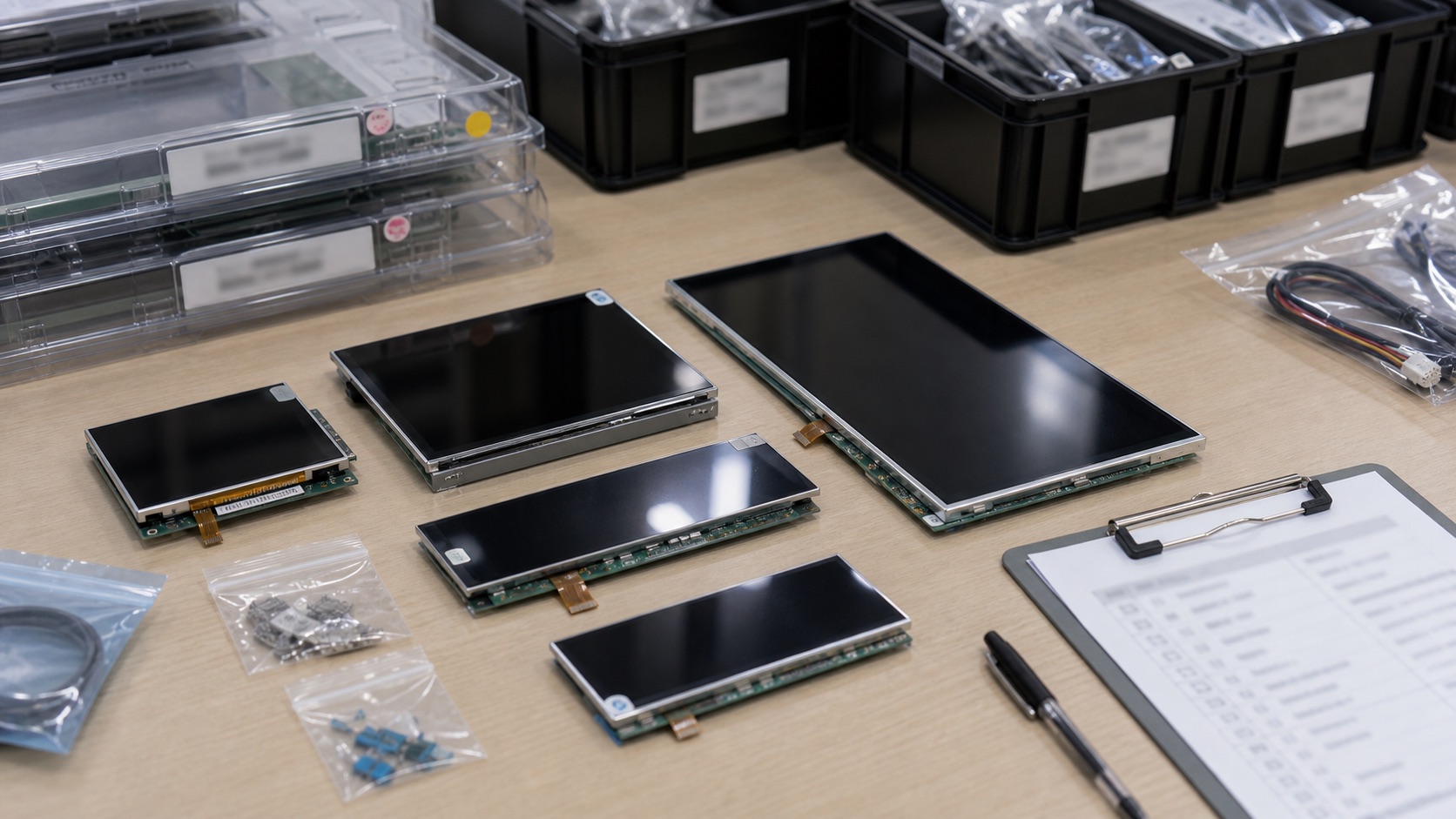
For consumer products, a display change may be inconvenient. For industrial and embedded products, it can be a serious engineering event. A product may stay in production for five, seven, or ten years. It may need service parts after that. If the display disappears from the supply chain, the team may need to redesign the enclosure, update firmware, repeat testing, or requalify the product.
IPS displays are widely available, but that does not mean every IPS module is safe for long-term use. Size, resolution, interface, driver IC, touch option, backlight, and supplier policy all affect lifecycle risk.
Lifecycle planning should start before the first production release, not when the supplier announces last-time buy.
Treat the display as a strategic component
In many embedded products, the display is selected late because it feels like a standard part. That is risky. The display touches industrial design, mechanical tooling, firmware, power, touch, user experience, and certification. Replacing it later can be more disruptive than replacing many board-level components.
If the active area changes, the front bezel may no longer match. If the outline changes, mounting points may move. If the interface changes, the main board may need revision. If the initialization sequence changes, firmware must be updated. If optical performance changes, the UI may look different.
For long-life products, the display should be reviewed with the same seriousness as the processor, power architecture, and enclosure.
Ask about lifecycle before approving the sample
A good-looking sample does not guarantee long-term supply. Before approval, ask the supplier about lifecycle status, expected production window, PCN policy, last-time-buy process, and known component risks.
The most useful answer is specific. “Long-term support” is not enough. Ask whether the panel glass, driver IC, backlight LEDs, touch controller, polarizer, and adhesive are stable. Ask what changes trigger notification. Ask whether the supplier can provide a form-fit-function equivalent if the original module changes.
This conversation should happen before tooling and firmware are locked. If the supplier cannot discuss lifecycle clearly, that is a risk signal.
Keep interface flexibility where possible
Interface choice affects replacement options. LVDS remains common in industrial panels and can provide good long-term flexibility. MIPI DSI is efficient and compact, but panel-specific initialization can make replacements more software-sensitive. eDP is strong for modern high-resolution displays, but platform support and cable design must be considered.
No interface is universally best. The practical question is whether the product architecture can tolerate a future display replacement. If the design is too tightly tied to one unusual panel, lifecycle risk increases.
When possible, leave mechanical and electrical margin. Avoid using every millimeter of enclosure space. Keep firmware structured so display timing and initialization data can be changed cleanly. Document the display bring-up process so a future engineer can support a replacement module without guessing.
Identify alternates before you need them
Second sourcing does not always mean finding a perfect drop-in replacement. Displays are often too specific for that. But the team should still identify near alternatives early.
Look for panels with the same size, resolution, interface, brightness class, viewing area, and similar outline. Compare connector location and FPC direction. Check whether the same cover glass can still work. If a direct substitute is not available, document the closest options and what would need to change.
This exercise is useful even if the alternate is never used. It reveals where the current design is fragile. If every possible replacement requires a new enclosure, new cable, and new firmware architecture, the team knows the risk in advance.
Control firmware and display settings
Display replacement often becomes a firmware problem. Timing values, reset sequences, backlight control, gamma settings, orientation, touch tuning, and sleep behavior may differ between modules.
Keep all display-related settings in controlled files. Do not leave them buried in an old email or a vendor demo project. Record the exact panel revision, timing, initialization sequence, and test results. If the system uses Linux, keep device tree and driver changes documented. If it uses an MCU, keep initialization code readable and tied to the display version.
Good documentation reduces future engineering time. It also helps purchasing and quality teams understand whether a proposed supplier change is minor or requires full validation.
Plan for service and field replacement
Lifecycle planning is not only about production. It also affects service. If the product is installed in factories, vehicles, medical environments, or public spaces, a failed display may need replacement years later.
Consider whether service parts will be stocked. If the display is bonded to the cover glass, decide whether the service part is the full front assembly or only the LCD module. If touch tuning depends on the full stack, replacing one layer may not be practical.
Service strategy should be part of the original product plan. A slightly more expensive display assembly may be cheaper over the product life if it reduces field repair complexity.
Watch for hidden changes
Some supplier changes are obvious, such as a new panel model number. Others are subtle. A different polarizer may change viewing appearance. A different LED bin may change brightness or color. A different touch controller may need new firmware tuning. A different adhesive may affect bonding yield or temperature performance.
This is why PCN control matters. The supplier should notify the customer before changes that affect form, fit, function, reliability, or regulatory status. The engineering team should define which changes require sample approval.
For critical products, keep incoming inspection simple but meaningful. Compare brightness, color, touch behavior, connector, appearance, and revision labels against approved samples.
A practical lifecycle checklist
Before releasing a long-term embedded product, review these items:
- Confirm expected display availability and PCN policy.
- Save datasheets, drawings, timing, firmware, and test reports.
- Identify at least one near alternate module.
- Keep mechanical space for reasonable replacement options.
- Document backlight and touch controller settings.
- Define what supplier changes require reapproval.
- Decide whether service stock is needed.
- Review last-time-buy strategy before production ramps.
Lifecycle planning is not glamorous, but it protects the product. A display that is easy to buy today can become a difficult problem later if the design has no margin. The best time to reduce that risk is before the first production unit ships.
Lifecycle Risk Table
| Risk area | What can change | Design response |
|---|---|---|
| LCD cell | Active area, viewing angle, optical mode | Preserve bezel margin and document optical approval |
| Driver IC | Timing, initialization, firmware behavior | Keep display settings version-controlled |
| Backlight | Brightness, color, current, lifetime | Define electrical and optical acceptance limits |
| Touch controller | Tuning, firmware, wet/glove behavior | Freeze tuning files and retest supplier changes |
| FPC / connector | Exit direction, pinout, assembly process | Keep drawings controlled and review alternates early |
| Adhesive / bonding | Haze, bubbles, temperature behavior | Define cosmetic and reliability criteria |
The point is not to predict every supplier change. The point is to know which changes would force engineering reapproval before they reach production unnoticed.
Related Engineering Context
For the front-end selection process that should happen before lifecycle approval, read the industrial LCD display selection guide. If the project involves supplier tooling or module-level changes, the custom TFT LCD module checklist helps define what must be controlled.