Embedded Display Systems: Architecture, Components, and Typical Applications
An introduction to embedded display systems, covering system architecture, key hardware components, display interfaces, software frameworks, and real-world applications in industrial automation, smart homes, medical devices, and consumer electronics.
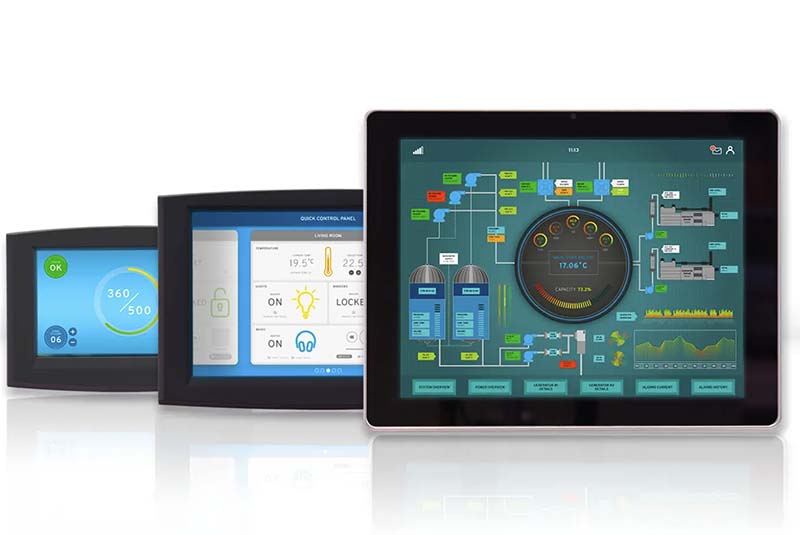
Embedded display systems are widely used across modern electronic devices, from industrial control panels and medical equipment to smart home interfaces and consumer electronics. These systems combine computing hardware, display technology, and specialized software to create intuitive human-machine interfaces (HMIs) that allow users to monitor and control complex systems.
As embedded processors become more powerful and display technologies continue to improve, embedded display systems are evolving rapidly. Higher resolutions, better touch interaction, and more advanced graphics frameworks are enabling richer user interfaces even in compact devices.
This article introduces the architecture of embedded display systems, explains the key hardware and software components, and explores typical applications across different industries.
What Is an Embedded Display System?
An embedded display system is a computing platform that integrates a display module with an embedded processor to present graphical information and interact with users. Unlike general-purpose computers, these systems are designed to perform dedicated tasks within a specific product.
Typically, an embedded display system includes the following functional elements:
- A processor or system-on-chip (SoC)
- A display panel (LCD, TFT, OLED, or similar)
- Graphics and display interfaces
- Touch input hardware
- Memory and storage
- Embedded operating system and UI software
These systems are commonly integrated into devices where a graphical interface is required but a full desktop computer would be unnecessary or impractical.
Examples include:
- Industrial control panels
- Smart home control panels
- Medical monitoring devices
- Automotive infotainment systems
- Handheld testing instruments
- Retail kiosks and payment terminals
In these environments, the embedded display system serves as the primary interaction interface between humans and machines.
Overall Architecture of Embedded Display Systems
Although the design details vary depending on the product, most embedded display systems follow a similar architecture.
A simplified architecture typically includes four layers:
- Hardware Layer
- Device Driver Layer
- Operating System Layer
- Application and User Interface Layer
Each layer plays a specific role in enabling reliable and responsive user interaction.
Hardware Layer
The hardware layer includes the physical components responsible for computing, display output, and user input.
Major components include:
- Embedded processor or SoC
- Display panel
- Display interface circuitry
- Touch controller
- Memory devices
- Power management circuits
- Communication interfaces
These components work together to capture user input, process data, and render graphical output on the screen.
Device Driver Layer
Device drivers provide low-level control of hardware peripherals such as display controllers, touch controllers, and communication interfaces.
Typical drivers include:
- LCD or display controller drivers
- Touch screen drivers
- GPU or graphics drivers
- I²C and SPI communication drivers
- Framebuffer or DRM display drivers
The drivers allow the operating system to interact with hardware devices without requiring application software to manage hardware details directly.
Operating System Layer
The operating system provides the runtime environment for applications and manages system resources.
Common operating systems used in embedded display systems include:
- Embedded Linux
- Android
- Real-Time Operating Systems (RTOS)
- Buildroot-based systems
- Yocto-based Linux distributions
Linux and Android are particularly common in modern embedded display systems due to their strong driver support and mature graphics frameworks.
Application and UI Layer
The application layer implements the graphical user interface and device logic.
Typical frameworks include:
- Qt
- LVGL (Light and Versatile Graphics Library)
- GTK
- Web-based UI frameworks
- Android UI frameworks
This layer defines what the user sees on the screen and how the device behaves when users interact with the interface.
Key Hardware Components of Embedded Display Systems
Designing an embedded display system requires careful selection of several critical hardware components.
Embedded Processor (SoC)
The processor is the core of the embedded display system. It executes application software, processes input data, and generates graphical output.
Common embedded processors used in display systems include:
- ARM Cortex-A series processors
- Industrial embedded SoCs
- Application processors with integrated GPUs
Many modern systems use SoCs that integrate CPU, GPU, memory controllers, and multimedia engines within a single chip. This integration reduces system complexity and improves performance.
Performance requirements depend on the application. A simple industrial controller may only require modest processing power, while a multimedia interface or smart home panel may need higher graphics performance.
Display Panel
The display panel determines the visual output quality of the system.
Common display technologies include:
- TFT LCD
- IPS LCD
- OLED
- High-brightness industrial displays
Important display parameters include:
- Screen size
- Resolution
- Brightness
- Viewing angle
- Interface type
- Operating temperature range
Industrial applications often prioritize long lifecycle, stable performance, and wide operating temperature over extremely high resolution.
Display Interfaces
The display interface connects the processor to the display panel.
Common display interfaces include:
RGB Interface
A parallel interface used in many embedded systems. It directly transfers pixel data from the processor to the display.
LVDS (Low Voltage Differential Signaling)
Widely used in industrial displays due to its high reliability and ability to support longer cable distances.
MIPI DSI
A high-speed serial interface commonly used in mobile devices and compact embedded systems.
HDMI or DisplayPort
Occasionally used in embedded systems that require compatibility with external monitors.
Selecting the correct interface depends on factors such as resolution, cable length, and system architecture.
Touch Input System
Most modern embedded display systems include touch input functionality.
Common touch technologies include:
- Capacitive touch panels
- Resistive touch panels
- Optical touch systems
Capacitive touch panels are now widely used due to their responsiveness and multi-touch capabilities. Industrial devices sometimes still use resistive touch panels when operation with gloves or styluses is required.
The touch controller communicates with the processor through interfaces such as I²C or USB.
Memory and Storage
Embedded display systems require both volatile and non-volatile memory.
Typical configurations include:
- DDR memory for running applications
- eMMC or NAND Flash for storing the operating system and application software
- SPI Flash for bootloader storage
Memory capacity depends on the operating system and software framework used. Systems running Linux or Android generally require significantly more memory than systems based on RTOS.
Power Management
Power management circuitry ensures stable operation of the embedded display system.
Key functions include:
- Voltage regulation
- Power sequencing
- Battery management (for portable devices)
- Backlight power control
Efficient power management is especially important for battery-powered devices and systems operating in harsh industrial environments.
Software Frameworks for Embedded Display Systems
Software plays a critical role in determining the usability and performance of an embedded display system.
Several graphics frameworks are widely used.
Qt Framework
Qt is one of the most popular frameworks for embedded graphical interfaces.
Advantages include:
- Rich UI capabilities
- Hardware acceleration support
- Cross-platform development
- Large developer ecosystem
Qt is widely used in industrial control panels, automotive systems, and medical devices.
LVGL (Light and Versatile Graphics Library)
LVGL is a lightweight graphics library designed for embedded systems.
Advantages include:
- Low resource usage
- Portable architecture
- Suitable for microcontrollers and small processors
- Customizable widgets and UI components
LVGL is commonly used in devices where system resources are limited.
Web-Based Interfaces
Some embedded systems use web technologies such as HTML, CSS, and JavaScript to implement the graphical interface.
This approach allows developers to reuse web development skills and makes it easier to update interfaces remotely.
However, web-based UIs typically require more computing resources.
Typical Applications of Embedded Display Systems
Embedded display systems are used in a wide range of industries.
Industrial Automation
In industrial environments, embedded display systems are commonly used in:
- Human-machine interfaces (HMIs)
- Machine control panels
- Production monitoring systems
- Process control systems
These systems allow operators to monitor machine status, adjust parameters, and diagnose faults.
Reliability and long-term availability are key requirements in this field.
Smart Home Control Panels
Smart home systems often use wall-mounted control panels that integrate embedded display systems.
These panels allow users to control:
- Lighting systems
- Climate control
- Security systems
- Multimedia devices
- Smart appliances
Touchscreen interfaces make it easier for users to manage multiple devices from a single location.
Medical Equipment
Many modern medical devices rely on embedded display systems to present diagnostic data and patient information.
Examples include:
- Patient monitoring systems
- Ultrasound equipment
- Medical imaging devices
- Laboratory analysis instruments
Medical applications require high reliability, stable display performance, and strict regulatory compliance.
Automotive Systems
Automotive electronics increasingly rely on embedded display systems.
Common examples include:
- Infotainment systems
- Digital dashboards
- Navigation systems
- Rear-seat entertainment displays
Modern vehicles often include multiple embedded display systems operating simultaneously.
Consumer Electronics
Embedded display systems are also common in consumer devices such as:
- Smart appliances
- Portable measurement instruments
- Home energy management systems
- Retail kiosks
In these products, user experience and graphical interface design are particularly important.
Future Trends in Embedded Display Systems
Embedded display systems continue to evolve as new technologies emerge.
Several trends are shaping the future of this field:
Higher resolution displays
Embedded devices increasingly support Full HD and even higher resolutions.
Advanced graphics acceleration
Modern SoCs integrate powerful GPUs that enable smoother animations and richer graphical interfaces.
Touch and gesture interaction
New interaction methods such as gesture recognition and voice control are being integrated with traditional touch interfaces.
Integration with IoT platforms
Embedded display systems are becoming key components of connected devices within industrial and smart home ecosystems.
AI-assisted interfaces
Some systems are beginning to integrate AI features that analyze data and provide intelligent feedback to users.
Conclusion
Embedded display systems play a critical role in modern electronic devices by providing intuitive human-machine interfaces. By combining embedded processors, display panels, touch input, and specialized software frameworks, these systems enable users to interact efficiently with complex machines and digital systems.
As embedded processors become more capable and display technologies continue to advance, embedded display systems will continue to expand into new industries and applications. From industrial automation and medical devices to smart homes and automotive electronics, these systems are becoming an essential part of modern technology.
Understanding the architecture and design considerations of embedded display systems is therefore increasingly important for engineers developing next-generation electronic products.