Display Haze Explained: Readability Benefits and Image Quality Trade-Offs
Understand display haze, clarity, transmission, anti-glare sparkle, and reflected-light scattering, with a practical method for qualifying industrial cover glass.
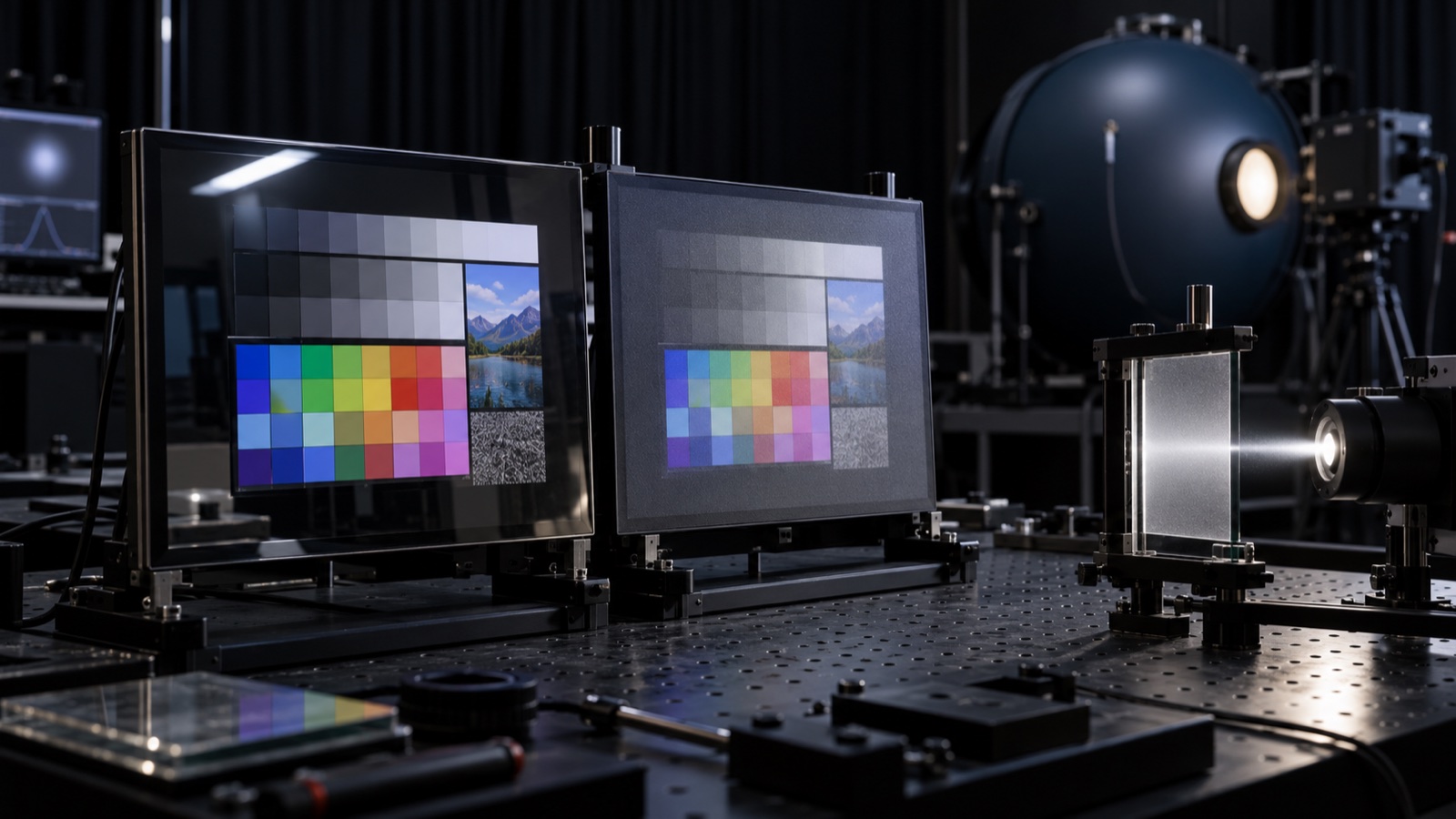
A cover-glass sample can look excellent on a light box and disappointing over a working LCD. The reflection is softer, but small text loses its crisp edges. White backgrounds look grainy. Black content appears washed out under a broad overhead light.
These effects often get bundled into one word: haze. Yet a single haze percentage cannot predict all of them. To choose an anti-glare surface well, separate transmitted-light scattering, reflected-light distribution, fine-detail clarity, and the interaction between surface texture and display pixels.
What a haze percentage measures
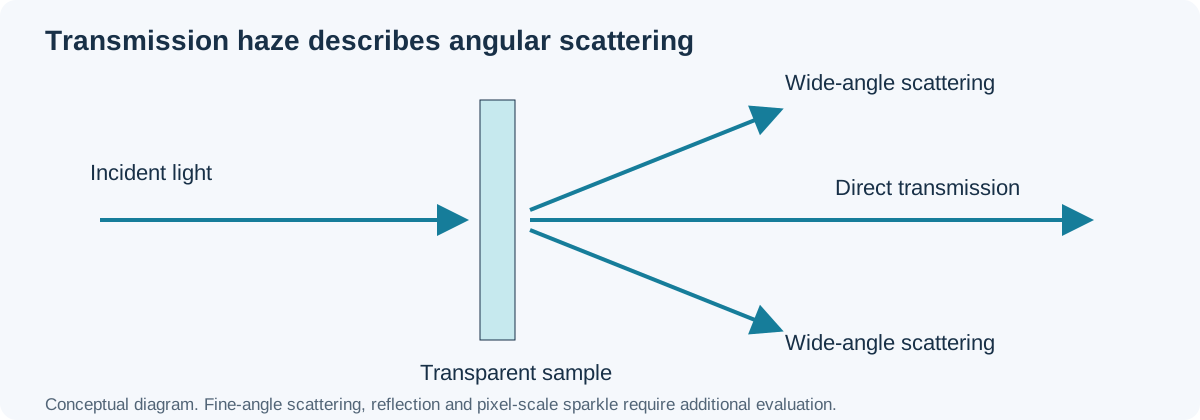
Transmission haze describes the fraction of transmitted light that scatters outside a defined narrow forward cone. In the commonly used ASTM D1003 method, wide-angle scattering is associated with deviation beyond 2.5 degrees. Conceptually:
Haze (%) = wide-angle diffuse transmittance / total transmittance × 100
The instrument geometry and standard version belong beside the result. “Haze: 8%” without a method, specimen construction, or measurement side is incomplete procurement data.
The ASTM D1003 method overview describes measurements of haze and luminous transmittance for transparent planar materials. Its scope is transparent plastics; when applying a related method to coated glass or a bonded stack, agree on specimen preparation and reporting with the laboratory rather than assuming every “D1003” result is directly interchangeable.
Haze, clarity, transmission, and gloss answer different questions
| Property | What it describes | What it does not establish |
|---|---|---|
| Total transmission | Total visible light passing through the sample | Sharpness of text or reflections |
| Transmission haze | Wide-angle scattering of transmitted light | Fine-angle blur or reflected glare alone |
| Clarity | Narrow-angle scattering affecting fine detail | Total light throughput |
| Gloss | Specular reflection under defined geometry | Complete reflection distribution |
| Reflectance | Reflected light under a specified method | Readability in every ambient environment |
A sample may retain high total transmission while scattering enough light to blur text. Two samples with similar haze can have different clarity because their angular scattering profiles differ. BYK’s transparency measurement reference explains this distinction between wide-angle haze and narrow-angle clarity.
This is why “lowest haze wins” is a poor selection rule. The application may need enough surface scattering to soften a reflected ceiling light, while retaining enough clarity for dense HMI labels.
How anti-glare surfaces help
An anti-glare surface redistributes reflected light. Instead of a sharp image of a lamp or window, the viewer sees a broader, less distinct reflection. That can make the UI easier to use when a small bright source would otherwise obscure an important area.
There is a trade-off: spreading the same reflected energy over a larger area can create a broad veil over the image. Under diffuse sky or extensive ceiling lighting, a heavily textured surface may raise the apparent black level across much of the screen.
Anti-reflection coatings work by a different optical mechanism and can reduce reflected energy. A surface can combine AG and AR, but the terms should remain separate in the drawing. The anti-glare and anti-reflection coating comparison helps identify which problem each treatment addresses.
Why sparkle appears on a high-resolution LCD
Microscopic surface structures can redistribute light from individual subpixels into the observer’s pupil. As the viewing position changes, the intensity pattern changes, producing a grainy or sparkling appearance, especially on white and mid-gray fields.
Sparkle depends on more than haze:
- Surface texture size and shape.
- Pixel pitch and subpixel layout.
- Distance between texture and pixel plane.
- Observer distance and pupil size.
- Viewing angle and focus.
- Cover-stack refractive indices.
A texture accepted on an 800 × 480 panel may look objectionable on a higher-PPI display. Evaluate the surface on the target module, at the intended viewing distance. Use the embedded HMI pixel-density calculation to connect the optical evaluation with actual text size and pixel pitch.
Bonding and air gaps change the result
An air gap adds reflective interfaces and separates the surface texture from the image plane. Optical bonding changes those interfaces and the optical path. The same cover coupon can therefore look different when loosely held above the panel and when bonded in the final stack.
Do not approve a surface using only a coupon laid on a display. Review a fully processed sample with the correct glass thickness, touch sensor, printed border, adhesive, and display polarizer. Check both its optical appearance and any LCD mura introduced by lamination pressure or stress.
For a dense user interface, a 10.1-inch high-resolution IPS panel provides a useful evaluation platform, but approval still belongs to the final module and cover-stack combination.
A useful sample comparison
Start with three candidates: clear glass, a mild AG surface, and a stronger AG surface. Keep glass thickness, coating chemistry where possible, display drive, and bonding construction consistent.
Use at least these patterns:
- Black field to expose reflected sources and broad veiling glare.
- White and mid-gray fields to reveal sparkle and nonuniform texture.
- Fine black text on white and reversed white text on black.
- One-pixel horizontal and vertical lines.
- The actual HMI with its smallest labels and warning symbols.
Inspect at normal view and the largest required angle. Move the head slightly to expose sparkle that a fixed photograph can hide.
Use more than one lighting condition
Small bright source: place a defined lamp at an angle that reflects toward the viewer. Compare the size, brightness, and sharpness of its reflection.
Broad diffuse source: use a large illuminated panel or repeatable diffuse-light setup. Compare black-state luminance and text contrast.
Outdoor field: test direct sun and shade with the finished enclosure. Log screen-plane illuminance, observer angle, temperature, and displayed content. This nits and lux measurement method keeps emitted luminance distinct from incident ambient light.
Lock camera position and exposure for photographs. Automatic exposure can make a darker sample look brighter and hide an actual transmission penalty.
Write acceptance limits around the product
A practical optical specification includes:
- Haze and total transmission, with method and specimen definition.
- Clarity where fine-detail performance matters.
- Gloss or reflectance at agreed measurement angles.
- Color shift and coating uniformity.
- Visual sparkle boundary samples on the target panel.
- Readability criteria for specified UI elements and lighting.
- Post-abrasion and post-cleaning performance.
There is no universal acceptable haze range for industrial displays. A sparse outdoor status display and a medical waveform monitor have different needs. Set limits from comparative prototypes and user tasks.
Production checks should retain visual references
Numerical haze control catches process drift, but keep approved physical boundary samples as well. A process change can alter texture distribution while leaving the average haze near target.
Measure several locations and inspect for coating streaks, local texture, scratches, and edge variation. Repeat optical checks after the relevant chemical, humidity, UV, and abrasion tests. A surface that begins clear but develops haze during cleaning is a lifecycle problem.
The decision is a balance: reduce disruptive reflections while preserving the text, contrast, and smoothness the user needs. Haze helps describe that balance, but the working display under representative lighting makes the final choice.